Bottom line: A CS2 match preview is three reads stitched together, all addressed by team slug: the head-to-head record, each side's recent form, and each side's ranking. Know four things going in: every team route takes the slug as well as the UUID, head-to-head requires an
opponentparameter, form is a single page, and a team's own rank is opt-in via?rank=1. Get those right and the rest is formatting. Built on the EsportsOdds CS2 data API.
The shape of a preview
Two team slugs go in; a preview panel comes out. In between, the work fans out into parallel reads and comes back together.
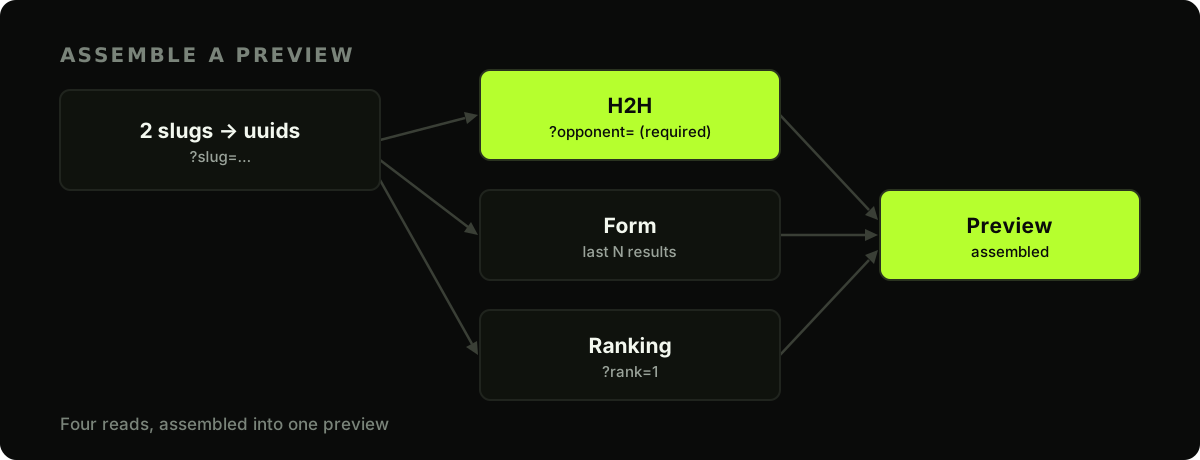
The calls, and their gotchas
Four details are worth knowing before you write the code:
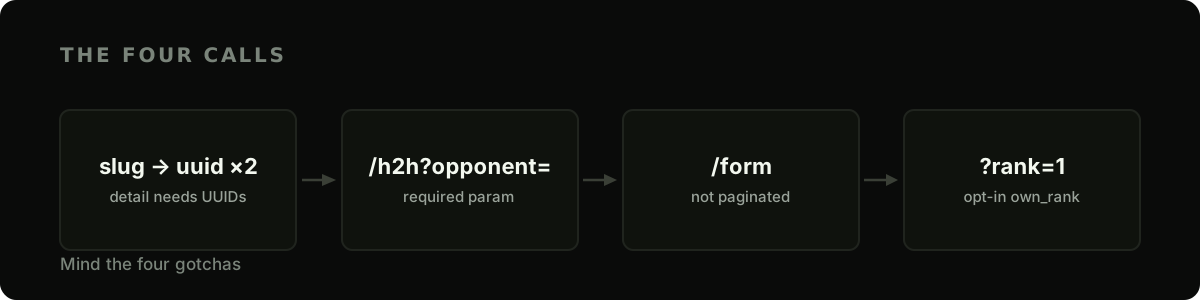
Let's build them one at a time.
1. Use the slugs as they are. Every team route takes the slug in place of the UUID, and so does opponent=, so there is no lookup step: /teams/vitality/h2h?opponent=mouz-cs2 works as written. An unknown slug answers 404. If you store results, key them on the id in the response: it never changes, while a slug can when a team renames (the old slug still resolves).
import os
import requests

BASE = "https://api.esportsodds.gg"
HEADERS = {"Authorization": f"Bearer {os.environ['ESPORTSODDS_API_KEY']}"}
2. Head-to-head. GET /teams/{id}/h2h requires an opponent query parameter; omit it and you get a 400 whose message reads opponent is required (a team id or slug). It returns the completed-match record between the two. Read it with care: head-to-head across roster changes is a small and often stale sample, so weight recent, map-level meetings far above a lifetime tally.
def h2h(team: str, opponent: str) -> dict:
    r = requests.get(f"{BASE}/v1/cs2/teams/{team}/h2h",
                     params={"opponent": opponent}, headers=HEADERS, timeout=10)
    r.raise_for_status()
    return r.json()["data"]   # {team_wins, opponent_wins, total, ...}
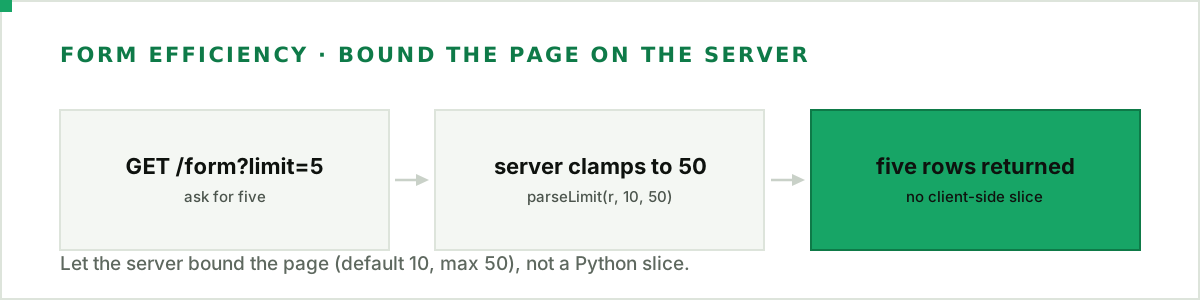
3. Recent form. GET /teams/{id}/form returns a team's recent completed results as a single page: it's not paginated, so there's no cursor loop. It defaults to 10 results and accepts a ?limit= up to 50, so ask the server for exactly the run you want rather than fetching the default and slicing it in Python. Each row carries won, opponent_id, and the map score as score_for / score_against:
def form(team: str, n: int = 5) -> list[dict]:
    r = requests.get(f"{BASE}/v1/cs2/teams/{team}/form",
                     params={"limit": n}, headers=HEADERS, timeout=10)
    r.raise_for_status()
    return r.json()["data"]
4. Ranking. A team's position on our win-rate leaderboard (see the methodology for how that board is ranked) is own_rank, and it's opt-in: request the team detail with ?rank=1, or own_rank comes back null:
def ranking(team: str) -> int | None:
    r = requests.get(f"{BASE}/v1/cs2/teams/{team}",
                     params={"rank": 1}, headers=HEADERS, timeout=10)
    r.raise_for_status()
    return r.json()["data"].get("own_rank")
Assemble the preview
With the four helpers in place, a preview is a matter of calling them and shaping the result:
def preview(slug_a: str, slug_b: str) -> dict:
    record = h2h(slug_a, slug_b)
    return {
        "teams": [slug_a, slug_b],
        "h2h": f"{record['team_wins']}–{record['opponent_wins']} "
               f"(over {record['total']} meetings)",
        "form": {
            slug_a: ["W" if m["won"] else "L" for m in form(slug_a)],
            slug_b: ["W" if m["won"] else "L" for m in form(slug_b)],
        },
        "rank": {slug_a: ranking(slug_a), slug_b: ranking(slug_b)},
    }


p = preview("natus-vincere", "faze")
print(f"H2H: {p['h2h']}")
print(f"{p['teams'][0]}: form {''.join(p['form'][p['teams'][0]])}  rank #{p['rank'][p['teams'][0]]}")
The result is a compact, factual panel: the record between the teams, each side's recent W/L run, and where they sit in the rankings:
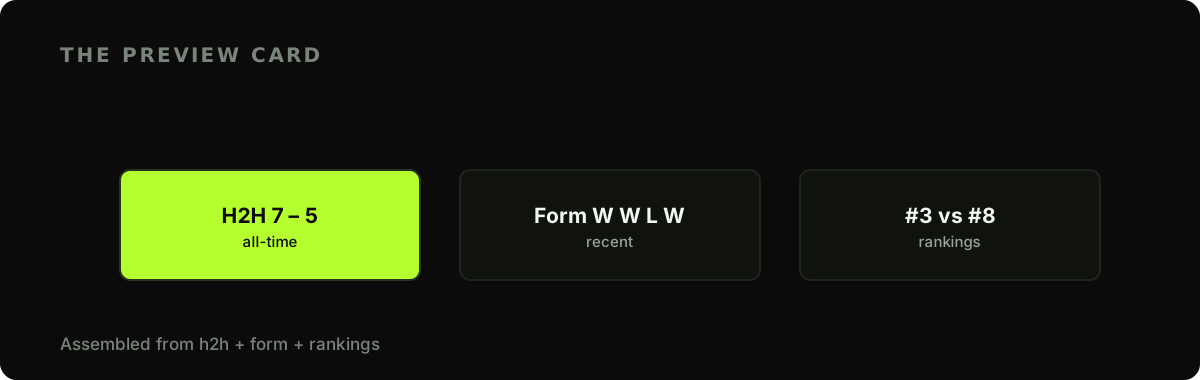
Keep the framing neutral. A preview reports what happened (the record, the form, the standings) and lets the reader draw conclusions. It's context, not a tip.
Making it fast
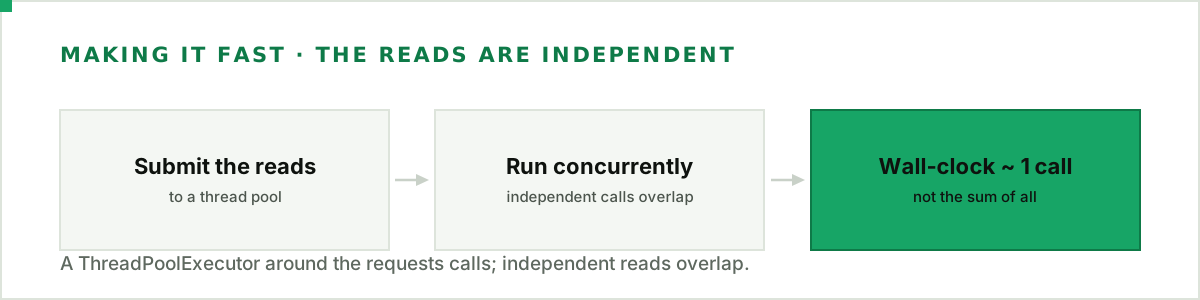
The reads don't depend on each other, so run them concurrently. A ThreadPoolExecutor around the blocking requests calls is the least-effort way to overlap them and cut the wall-clock time to roughly a single request:
from concurrent.futures import ThreadPoolExecutor


def preview_fast(slug_a: str, slug_b: str) -> dict:
    with ThreadPoolExecutor(max_workers=5) as pool:   # nothing to resolve first
        record = pool.submit(h2h, slug_a, slug_b)
        form_a, form_b = pool.submit(form, slug_a), pool.submit(form, slug_b)
        rank_a, rank_b = pool.submit(ranking, slug_a), pool.submit(ranking, slug_b)
    return {
        "h2h": record.result(),
        "form": {slug_a: form_a.result(), slug_b: form_b.result()},
        "rank": {slug_a: rank_a.result(), slug_b: rank_b.result()},
    }
Async is the other route: httpx with asyncio.gather overlaps the same calls without threads. Either way, if you're generating previews in a batch, wrap the calls in the resilient client from the rate-limits guide so the burst doesn't trip the per-second limit.
Next steps
- Add fantasy projections — layer per-player numbers onto the team preview.
- Show it on a dashboard — render the preview alongside the live score.
Fan out, assemble, format. Mind the required opponent parameter and the opt-in rank, and a preview that reports rather than recommends will read as credible to whoever lands on it.
Full API reference: fetching a full match in one request in the developer docs.