Bottom line: A CS2 scoreboard is a short Next.js app: fetch
GET /v1/cs2/matches?status=liveon the server so your API key never ships to the browser, render each row straight from the names the list already includes, and refresh every 20-30 seconds. Two things to design around: there are no team logos (logo_urlis always empty, so use text badges), and a team's short name isnullon one endpoint but""on another, which silently breaks the obvious badge code. The freshness indicator is a status signal, not a countdown. Built against the EsportsOdds CS2 data API.
The architecture: keep the key on the server
The single most important decision is where your API key lives. It must stay on your server. The browser talks to your Next.js backend; your backend holds the key and talks to the API.
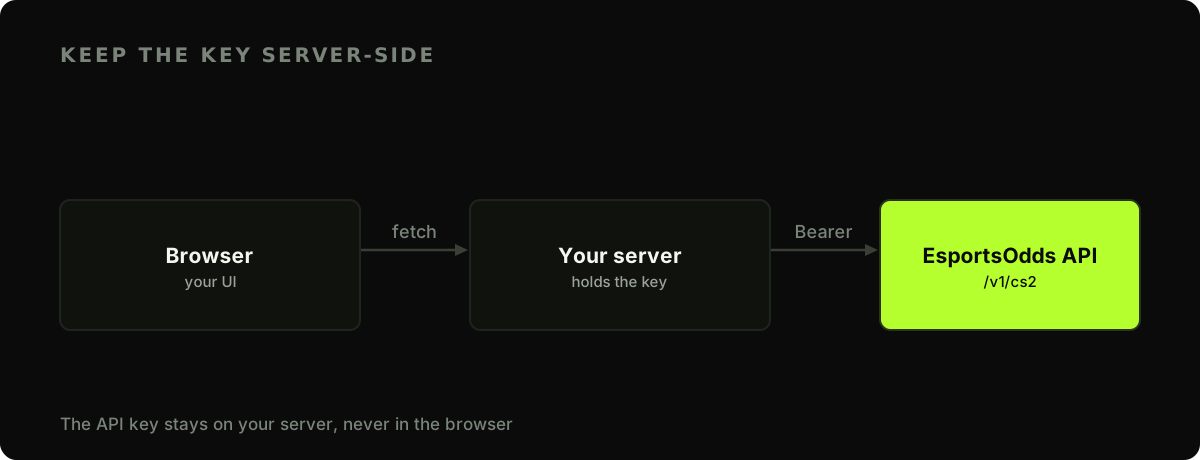
In the App Router this falls out naturally, because Server Components run only on the server. Read the key from the environment and it's never serialised to the client bundle:
// app/scores/page.tsx  — a Server Component
const BASE = "https://api.esportsodds.gg";

type Match = {
  id: string;
  status: string;
  score_a: number | null;
  score_b: number | null;
  team_a_name: string | null;
  team_a_short: string | null;
  team_b_name: string | null;
  team_b_short: string | null;
  tournament_name: string | null;
};

async function getLiveMatches(): Promise<Match[]> {
  const res = await fetch(`${BASE}/v1/cs2/matches?status=live`, {
    headers: { Authorization: `Bearer ${process.env.ESPORTSODDS_API_KEY}` },
    next: { revalidate: 20 }, // re-fetch at most every 20s
  });
  if (!res.ok) throw new Error(`API error: ${res.status}`);
  const { data } = await res.json();
  return data;
}
process.env.ESPORTSODDS_API_KEY (without the NEXT_PUBLIC_ prefix) is server-only. Every field on that Match type is nullable because the list uses LEFT JOINs, so an absent name comes back null rather than dropping the row. The Next.js docs cover the revalidate caching contract.
Render straight from the list
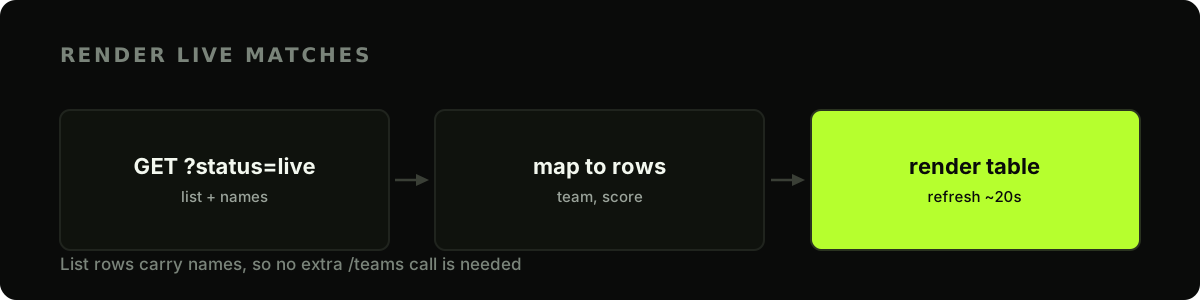
Because the matches list is the enriched projection, every row already carries team_a_name, team_b_name, score_a, score_b, and tournament_name. You can render a full scoreboard with no follow-up requests.
export default async function ScoresPage() {
  const matches = await getLiveMatches();

  return (
    <ul>
      {matches.map((m) => (
        <li key={m.id}>
          <TeamBadge name={m.team_a_name} short={m.team_a_short} />
          <strong>{m.score_a ?? 0} - {m.score_b ?? 0}</strong>
          <TeamBadge name={m.team_b_name} short={m.team_b_short} />
          <small>{m.tournament_name}</small>
        </li>
      ))}
    </ul>
  );
}
Note the ?? 0 on the scores: score_a and score_b are null before a match produces a result, so give them a fallback.
Text badges, and the empty-badge trap
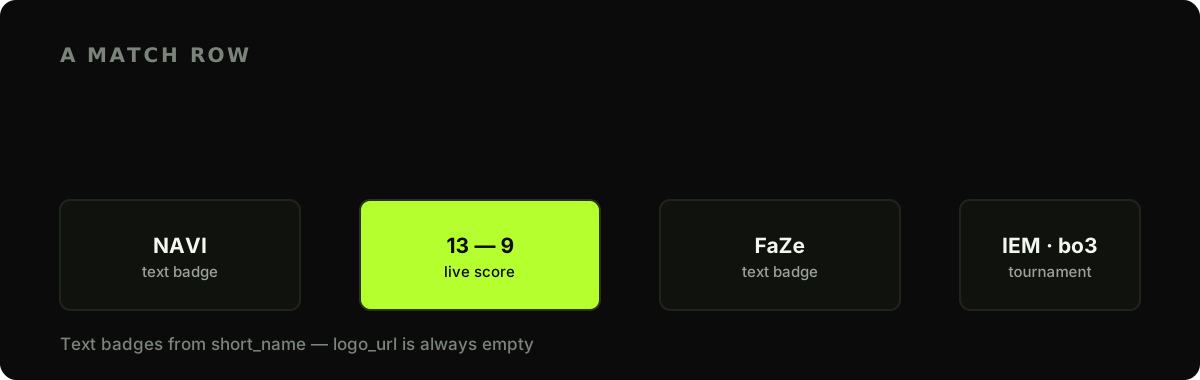
Reach for a team crest and you'll find logo_url is an empty string on every team. That's by design, a source-anonymity rule, not a gap in the data. So build the badge from text: the short_name field ("NAVI", "FaZe") is exactly what you want. But how you fall back matters, and this is where two endpoints disagree.
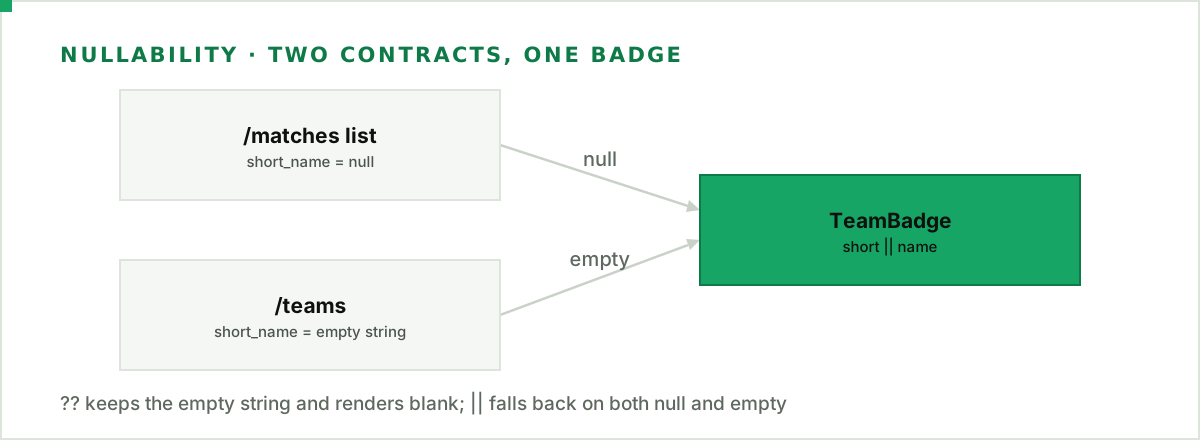
The /matches list leaves an absent short_name as null. The /teams endpoint coalesces it to an empty string "". Now look at the obvious badge: {short ?? name}. The nullish coalescing operator ?? only falls back on null or undefined, so against /teams it keeps the "" and renders an empty badge. Use ||, which falls back on any falsy value including the empty string, and the same component is correct against both endpoints:
function TeamBadge({ name, short }: { name: string | null; short?: string | null }) {
  return <span className="badge">{short || name || "TBD"}</span>;
}
A text badge reads cleanly and never breaks on a missing image.
Fail without taking down the route
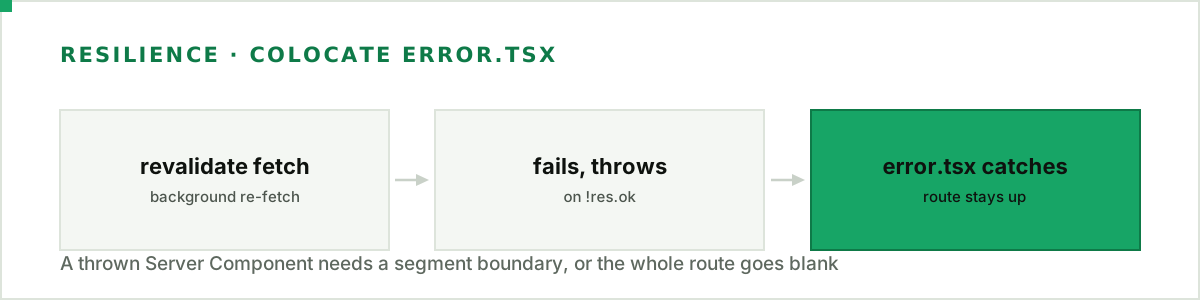
getLiveMatches throws on a non-ok response, which is correct, but combined with revalidate it is a trap: when a background revalidation fetch fails, that throw surfaces during render, and with no error boundary in the segment the whole route stops rendering. Colocate an error.tsx so a blip degrades to a retry, not a blank page:
// app/scores/error.tsx  — a Client Component boundary
"use client";

export default function Error({ reset }: { error: Error; reset: () => void }) {
  return (
    <div>
      <p>Scores are briefly unavailable.</p>
      <button onClick={() => reset()}>Retry</button>
    </div>
  );
}
Keeping it fresh
next: { revalidate: 20 } re-fetches on the server every 20 seconds, so a reload always shows recent scores. To update without a manual reload, refresh the route segment on a timer from a small Client Component:
"use client";
import { useRouter } from "next/navigation";
import { useEffect } from "react";

export function AutoRefresh({ seconds = 25 }: { seconds?: number }) {
  const router = useRouter();
  useEffect(() => {
    const id = setInterval(() => router.refresh(), seconds * 1000);
    return () => clearInterval(id);
  }, [router, seconds]);
  return null;
}
Keep the freshness cue calm. A small "updated 12s ago" line or a steady status dot tells people the data is current. Skip countdown timers or anything that pressures a decision: a scoreboard informs, it doesn't rush. Our methodology explains how often the underlying data refreshes, so your cadence claim stays honest. To drop polling entirely, the WebSocket guide pushes updates as a match changes.
Fetch server-side, badge with || so "" and null both fall back, and wrap the route in an error.tsx. That is a scoreboard that stays up when the network doesn't.
Full API reference: connecting a WebSocket in the developer docs.