Bottom line: The CS2 API enforces two independent limits: a per-second rate bucket and a request quota (50,000 per month on the standard plan). Both surface their state in response headers on every call, and both return a
429with aRetry-Afterheader when you exceed them. A resilient client reads the headers to stay ahead of the limits, and when it does hit a429, it waits exactlyRetry-Afterseconds and retries. The errorcodetells you which limit you hit. Built against the EsportsOdds CS2 data API.
Two limits, not one
Keep these two apart in your head. They behave differently, and you handle them differently.
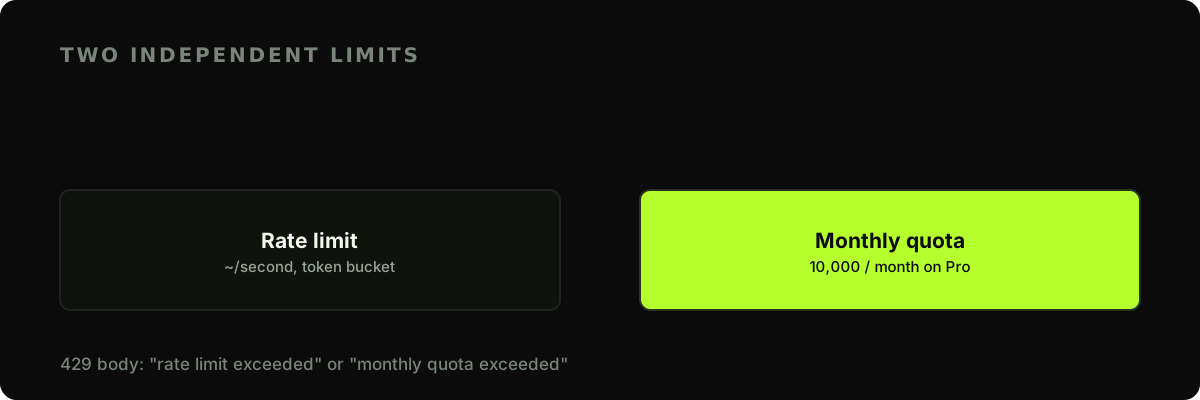
The rate limit is a token bucket: it smooths bursts over time and refills continuously, so a brief spike is fine but a sustained flood isn't. The monthly quota is your plan's total request budget, which resets on a fixed date. Hit either and the response is a 429.
Read the headers on every response
You don't have to guess where you stand. Every metered response carries your current numbers:
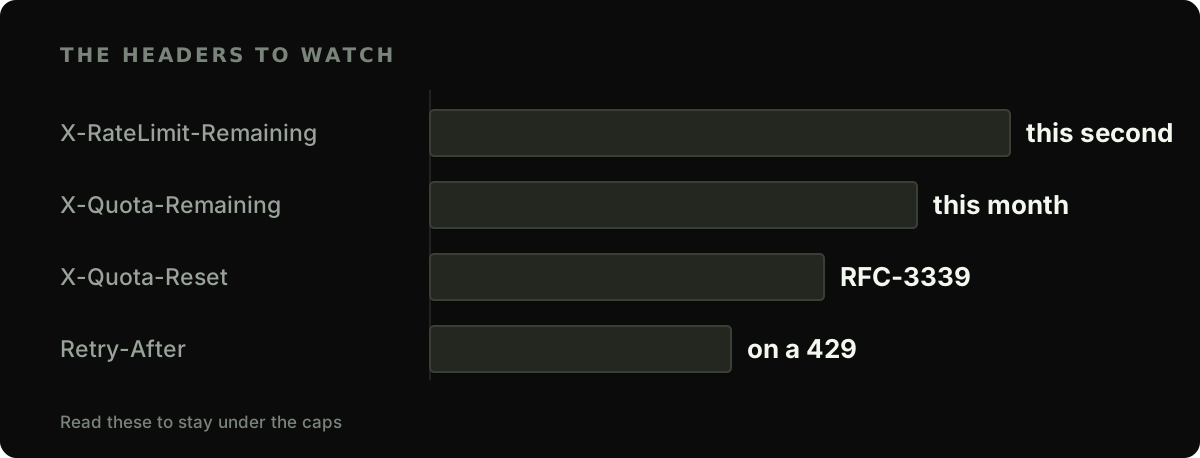
X-RateLimit-Limit/X-RateLimit-Remaining: your burst capacity and what's left of it right now.X-Quota-Limit/X-Quota-Remaining: your monthly allowance and what's left of it.X-Quota-Reset: an RFC-3339 timestamp for when the monthly quota rolls over.Retry-After: present on a429, the whole number of seconds to wait.
One thing to note: there's an X-Quota-Reset but no rate-limit reset header, because the rate bucket refills continuously; for the per-second limit, Retry-After is your signal, not a reset time.
def log_budget(resp):
    print(
        f"rate {resp.headers.get('X-RateLimit-Remaining')}/{resp.headers.get('X-RateLimit-Limit')}  "
        f"quota {resp.headers.get('X-Quota-Remaining')}/{resp.headers.get('X-Quota-Limit')}  "
        f"(resets {resp.headers.get('X-Quota-Reset')})"
    )
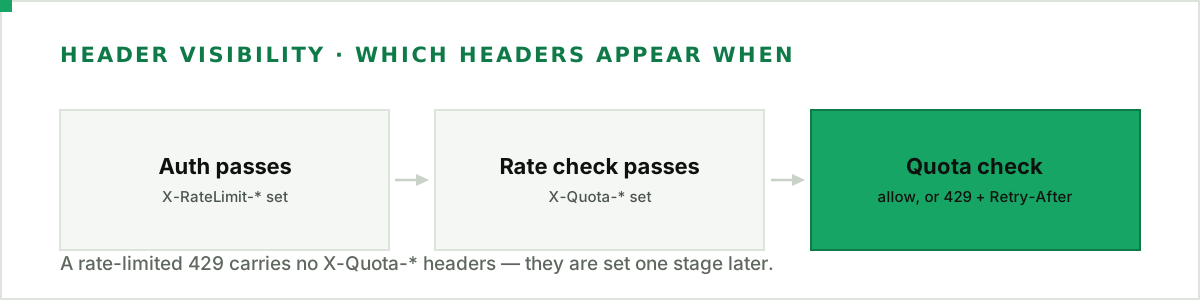
There's a staging detail worth knowing: the X-RateLimit-* pair is set the moment your key authenticates, but the X-Quota-* trio is only set after the rate-limit check passes. So a 429 that tripped the per-second bucket carries the X-RateLimit-* headers and no X-Quota-* headers at all. Read the quota headers defensively (with .get, as above), not as guaranteed on every response.
Handle a 429 by honouring Retry-After
When you do get a 429, don't invent your own backoff. The server already told you exactly how long to wait: read Retry-After, sleep that long, and retry.
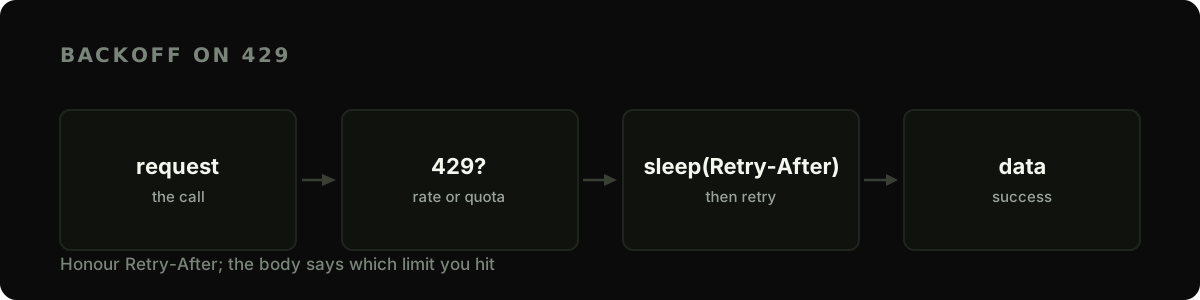
The 429 body is the same coded envelope as every other error, {"error": {"code", "message", "request_id"}}, and its code names which limit tripped: rate_limited or quota_exceeded. That distinction is the whole game. A rate_limited 429 clears in seconds, so sleeping Retry-After and retrying is right. A quota_exceeded 429 won't clear until your reset date, and its Retry-After is the seconds remaining until that date, which can run to days or weeks. Blindly sleeping it would park your process for a fortnight, so read error.code first and surface a quota exhaustion instead of waiting it out. Branch on the code, never on the message: the message is prose and can be reworded.
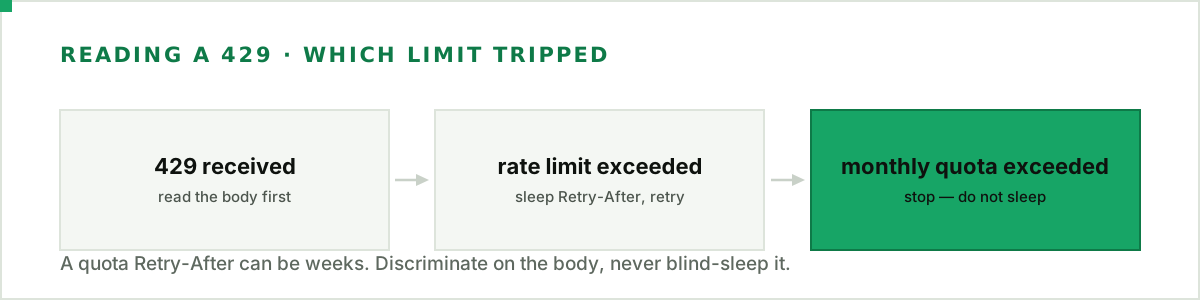
Here's a complete, reusable client that puts it together:
import os
import time
import requests

BASE = "https://api.esportsodds.gg"


class EsportsOddsClient:
    def __init__(self, api_key: str, max_retries: int = 4):
        self.session = requests.Session()
        self.session.headers["Authorization"] = f"Bearer {api_key}"
        self.max_retries = max_retries

    def get(self, path: str, **params) -> dict:
        for attempt in range(self.max_retries + 1):
            resp = self.session.get(f"{BASE}{path}", params=params, timeout=15)

            if resp.status_code != 429:
                resp.raise_for_status()
                return resp.json()

            # We hit a limit. Which one? Branch on the stable error code, never the message.
            err = resp.json().get("error", {})
            code = err.get("code")

            if code == "rate_limited":
                # Wait exactly as long as we're told, then retry.
                wait = int(resp.headers.get("Retry-After", "1"))
                time.sleep(wait)
                continue

            # quota_exceeded: the monthly quota is spent, so retrying won't help until it
            # resets. Any other 429 code is treated the same way: fail loudly, don't sleep.
            raise RuntimeError(
                f"{code}: not retryable (quota resets {resp.headers.get('X-Quota-Reset')})"
            )

        raise RuntimeError(f"still rate-limited after {self.max_retries} retries")


client = EsportsOddsClient(os.environ["ESPORTSODDS_API_KEY"])
matches = client.get("/v1/cs2/matches", status="live")["data"]
This one class handles both failure modes correctly: it retries transient rate-limit 429s using the server's own timing, and it fails fast and loud on a quota 429 where a retry would just burn time. Every line it pulls back is our own derived data; the methodology covers how the odds and ratings are computed.
Stay ahead of the limits
Retrying is the safety net; the better move is not tripping the limit in the first place. A few habits help:
- Reuse one
Session. It keeps connections warm and is where your auth header lives. - Request big pages.
limit=200on list endpoints means far fewer calls for the same data — see the pagination guide. - Cache what doesn't change often. Team and tournament metadata rarely moves; don't re-fetch it every loop.
- Watch
X-Quota-Remaining. If a nightly job is meant to use 500 requests and the header says you've burned 4,000, something's looping.
Budgeting a polling loop
Most integrations against this API are a poll: fetch the fixtures, fetch the market line, repeat. The single biggest thing that decides whether 50,000 requests a month feels roomy or tight is whether you poll both of those at the same interval. You shouldn't, because they don't change at the same rate.
The derived market line moves constantly — in a recent week the median gap between two successive line writes for a given match was about 55 seconds, and the 90th percentile was around four and a half minutes. The fixtures list is far more static: match rows changed roughly six times an hour across the whole schedule, against roughly 650 line writes an hour. That's a difference of about two orders of magnitude, so polling fixtures every five minutes buys you almost nothing and costs you exactly as much as polling odds does.
Budget them separately:
| Loop | Sensible interval | Requests / month |
|---|---|---|
Odds snapshot (/v1/cs2/odds, bulk by default) | every 5 min | ~8,600 |
Fixtures list (/v1/cs2/matches) | hourly | ~720 |
| Total | ~9,400 of 50,000 |
That leaves more than four-fifths of the plan for everything else — backfills, stats calls, retries, a second environment. Poll both loops at five minutes instead and the same integration costs about 17,300 requests, or 35% of the plan, for eleven extra fixture refreshes an hour that you almost never need.
Two smaller levers matter once you're inside that budget. The odds endpoint returns a bulk snapshot by default, so one call covers every match with a current line — resist the urge to loop per match, which turns one request into dozens. And if you're only tracking a handful of matches, poll on their schedule rather than round the clock; there is no reason to spend requests at 04 on a region that isn't playing.
The full allowance applies from the first paid month; there is no smaller evaluation tier. One thing to budget for if you are still deciding: the 14-day money-back guarantee on a first subscription applies only while the account has made fewer than 1,000 requests and no more than 20 bulk-export requests since paying, and a five-minute odds poll alone passes 1,000 in about three and a half days. Wire up the client and judge the data before you start a production loop.
Next steps
- Pull match data efficiently — big pages and cursors keep call counts down.
- Analyse stats in Python — wrap the DataFrame fetches in this client.
- Let the official Python client do the retrying —
pip install esportsoddsalready honoursRetry-Afterand never retries a quota429.
Read the headers, honour Retry-After, and above all tell a rate-limit 429 apart from a quota one before you decide to wait. Do that and your call volume can climb without a single request lost to a limit you could have seen coming.
Full API reference: Budget your requests in the developer docs.