Bottom line: The CS2 matches endpoint gives you scheduled, live, and completed games, and you shape the result with query parameters:
status,team,tournament, and a date range. When a result set is large, you walk it with an opaque cursor — readmeta.next_cursor, pass it straight back, and stop when it comes backnull. The trap is treating the cursor as something you can build or decode. You can't; pass it back byte-for-byte. Everything here runs against the EsportsOdds CS2 data API.
The matches list, and how to narrow it
If you followed the quickstart, you've already called GET /v1/cs2/matches and seen the enriched rows with team and tournament names. Now let's make it return only what you want.
The endpoint accepts several filters, and you can combine them:
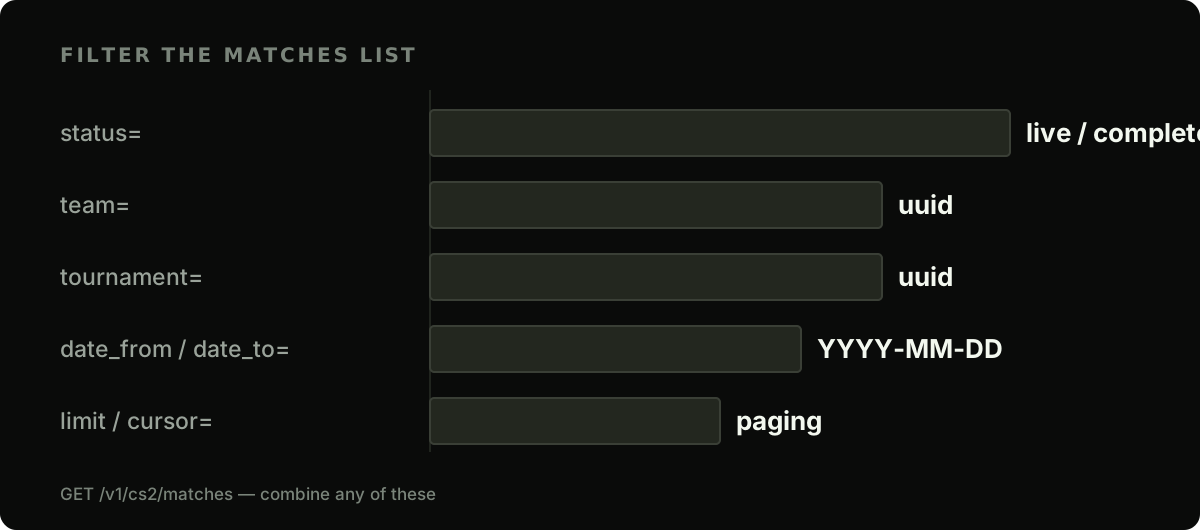
Want only the games in progress? Add ?status=live. (status takes scheduled, live, completed or cancelled; called-off fixtures are left out of the default list, so ask for them with ?status=cancelled.) Want a single team's recent completed games for a form widget? Stack filters with &:
curl -s "https://api.esportsodds.gg/v1/cs2/matches?status=completed&team=<team-uuid>&date_from=2026-06-01" \
  -H "Authorization: Bearer $ESPORTSODDS_API_KEY"
The team and tournament filters take UUIDs, not names or slugs. To get a team's UUID from its slug, ask the teams list: GET /v1/cs2/teams?slug=natus-vincere returns the row, and you read id off it. That slug-to-ID step recurs anywhere a filter or detail route wants an ID.
When a filter is malformed
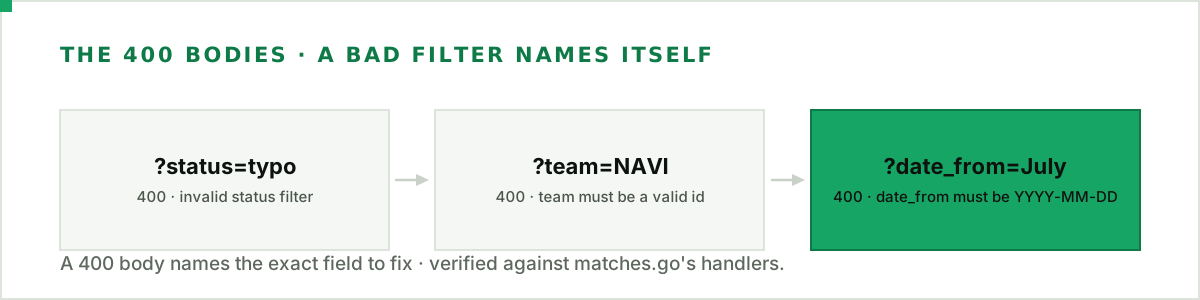
A bad filter value doesn't fail silently: the endpoint returns a 400 whose error.code is invalid_parameter and whose error.message names the field to fix and what it accepts. A status outside scheduled/live/completed/cancelled gets the message status must be one of: scheduled, live, completed, cancelled; a team or tournament that isn't a UUID gets team must be a team id (a UUID), not a name (or the same for tournament), followed by the list route to look the id up on; a date that isn't YYYY-MM-DD gets date_from must be YYYY-MM-DD (or date_to must be YYYY-MM-DD). Here is the last one in full:
{
  "error": {
    "code": "invalid_parameter",
    "message": "date_from must be YYYY-MM-DD",
    "request_id": "019f3d18-c15f-7319-81a7-343e8a80a578"
  }
}
All of them share one code, so branch on that to know the request itself was malformed, and show the message to whoever has to fix it. The wording of the message is for people, not a contract, so don't match on it.
Paging through the results
Each list response carries a meta block:
{ "meta": { "count": 200, "next_cursor": "eyJ0cyI6IjIwMjYtMDcuLi4ifQ" } }
count is this page's row count. next_cursor is the token for the next page, or null at the end. The loop never changes: call, read the cursor, feed it back, repeat until null.
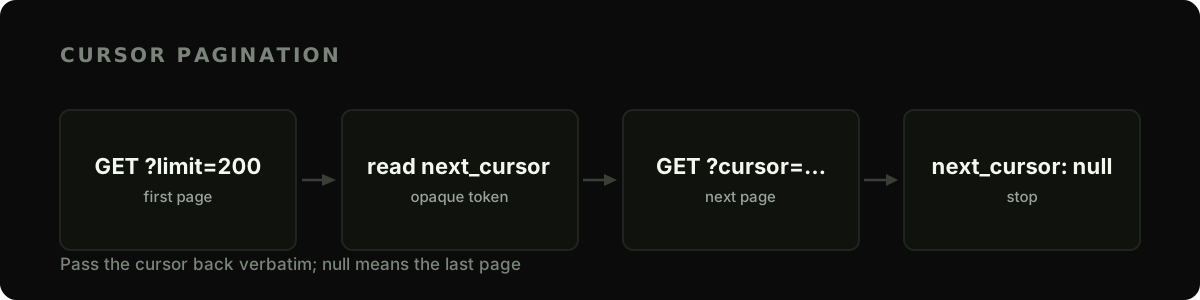
Here's a complete, reusable pager in Python. It handles any list endpoint on the API, not just matches:
import os
import requests

BASE = "https://api.esportsodds.gg"
SESSION = requests.Session()
SESSION.headers["Authorization"] = f"Bearer {os.environ['ESPORTSODDS_API_KEY']}"


def paginate(path, params=None):
    """Yield every row across all pages of a list endpoint."""
    params = dict(params or {})
    while True:
        resp = SESSION.get(f"{BASE}{path}", params=params, timeout=15)
        resp.raise_for_status()
        payload = resp.json()

        yield from payload["data"]

        cursor = payload["meta"].get("next_cursor")
        if not cursor:            # null (or absent) means the last page
            return
        params["cursor"] = cursor  # pass the token back verbatim


# Every completed match this month, across however many pages it takes:
matches = list(paginate("/v1/cs2/matches", {
    "status": "completed",
    "date_from": "2026-07-01",
    "limit": 200,
}))
print(f"pulled {len(matches)} matches")
Three things make this robust. It's a generator, so it streams rows without holding every page in memory; it reuses one Session so connections stay warm across pages; and it passes the cursor back exactly as received. The cursor is opaque: any attempt to parse, increment, or reconstruct it will break (a cursor the API can't decode is refused with a 400 whose error.code is invalid_cursor), so treat it as a black box.
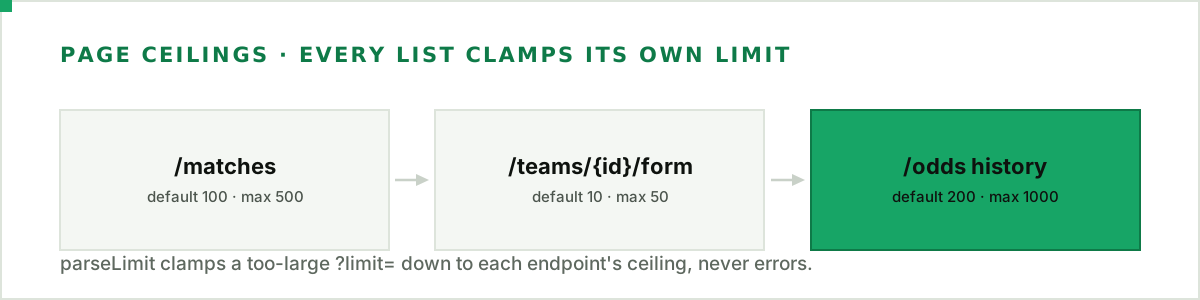
Each list clamps limit to its own ceiling, so asking for more returns the maximum, not an error. /matches defaults to 100 (max 500); a team's /form to 10 (max 50); a match's odds history at /odds?match= to 200 (max 1000). Pick a limit near the ceiling to cut round trips.
Not every list paginates
One distinction saves confusion: some CS2 lists issue a cursor and page; others return their whole result in one response and ignore a cursor.
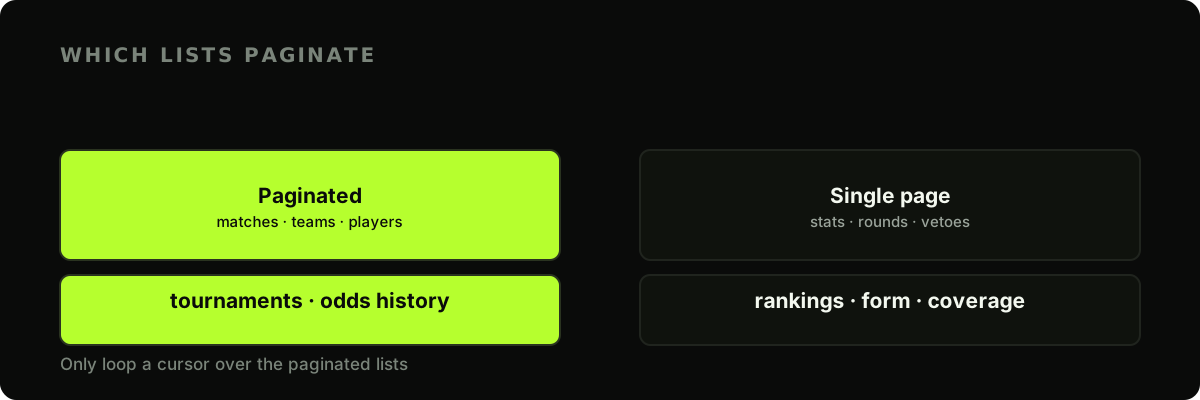
The large, open-ended collections paginate: matches, teams, players, tournaments, and a match's odds history (the derived market line, built as the methodology describes). The bounded ones come back complete in a single call: a match's stats, rounds, and vetoes; the rankings board; a team's form; the coverage summary. Their size is capped by the thing itself, so running the pager against one is harmless: it returns everything on the first pass and stops.
Reading match fields
Once you have the rows, the fields you'll use most are:
status:scheduled,live,completed, orcancelled(a called-off fixture, listed only when you ask for it with?status=cancelled).score_a/score_b: the series score. These are null until the match has a result, so guard for it.scheduled_at: an ISO-8601 timestamp (the field isscheduled_at, notstart_time).team_a_name/team_b_name/tournament_name: present on list rows, so you rarely need a second call.
for m in matches:
    a, b = m.get("team_a_name", "TBD"), m.get("team_b_name", "TBD")
    if m["score_a"] is not None:
        print(f"{a} {m['score_a']}–{m['score_b']} {b}")
    else:
        print(f"{a} vs {b} — {m['scheduled_at']}")
Next steps
With a filtered, fully-paged list in hand, you're ready to go deeper:
- See one real match in JSON: every field of a completed match, from map halves and the veto to round rows and player stats.
- Analyse the stats in Python — pull
/matches/{id}/statsinto a DataFrame. - Generate a match preview — combine head-to-head, form, and rankings.
- Handle rate limits — make your client back off before you loop over hundreds of matches.
- Page with the official Python client —
pip install esportsoddswalks lists and the bulk export lazily, one request per page.
Filter narrow, request big pages, and let next_cursor: null tell you when you're done. Pull it once, cleanly, and every guide downstream has something to build on.
Full API reference: pagination and filtering in the developer docs.