Bottom line: A CS2 results bot is a small polling loop plus a Discord webhook. Ask the API for completed matches, format a score line from the
*_namefields the list already gives you, decide the winner from the authoritativewinner_team_id, remember which match IDs you've posted so nothing double-posts, andPOSTto a webhook URL. No bot framework required, but two easy bugs (a mislabelled winner and a dedupe that resets on failure) are worth designing out from the start. Built on the EsportsOdds CS2 data API.
How the pieces fit
Three parties: the API you poll, your bot in the middle, and the Discord channel it posts to. A Discord webhook is the simplest bridge; you don't need a gateway connection or the discord.py library, just a URL you send JSON to.
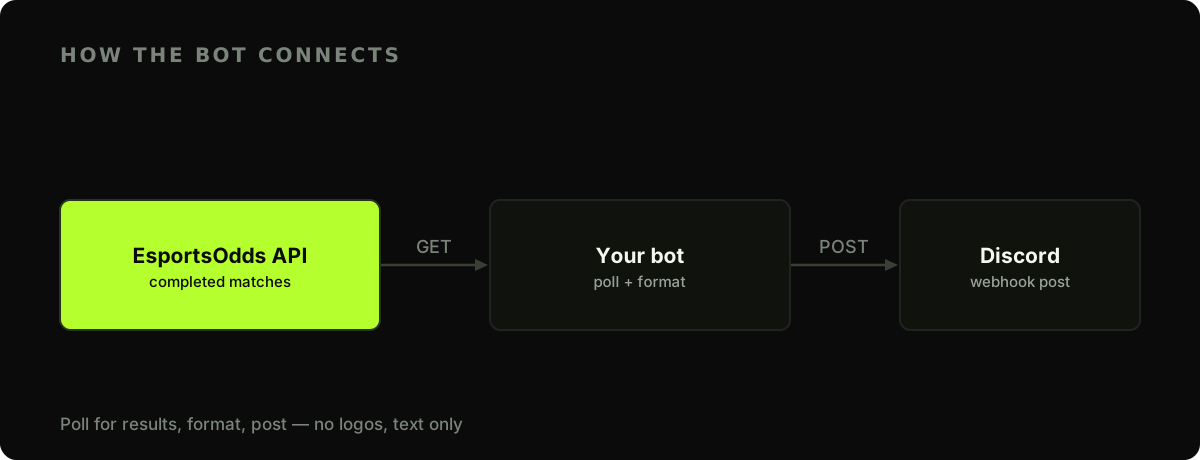
Create a webhook in your Discord server under Channel Settings, Integrations, Webhooks, copy its URL, and store both secrets in the environment:
export ESPORTSODDS_API_KEY="eo_live_your_key_here"
export DISCORD_WEBHOOK_URL="https://discord.com/api/webhooks/…"
The posting loop
The logic is a loop with a memory: pull completed matches, skip any you've already announced, format the rest, and post them.
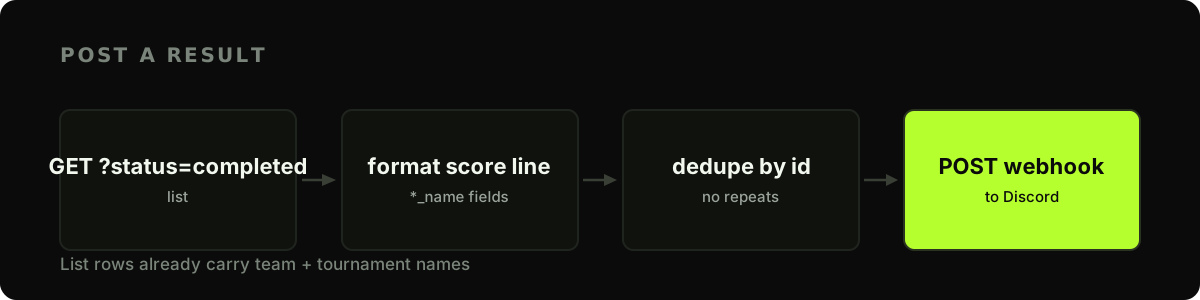
A small file of seen IDs survives restarts:
import json
import os
import time
from pathlib import Path
import requests

BASE = "https://api.esportsodds.gg"
API_KEY = os.environ["ESPORTSODDS_API_KEY"]
WEBHOOK = os.environ["DISCORD_WEBHOOK_URL"]
SEEN_FILE = Path("posted_matches.json")

HEADERS = {"Authorization": f"Bearer {API_KEY}"}


def load_seen() -> set[str]:
    if SEEN_FILE.exists():
        return set(json.loads(SEEN_FILE.read_text()))
    return set()


def save_seen(seen: set[str]) -> None:
    SEEN_FILE.write_text(json.dumps(sorted(seen)))


def recent_results():
    resp = requests.get(
        f"{BASE}/v1/cs2/matches",
        params={"status": "completed", "limit": 50},
        headers=HEADERS, timeout=15,
    )
    resp.raise_for_status()
    return resp.json()["data"]
Name the winner from the data, not the scoreline
The tempting one-liner, a if score_a > score_b else b, has a real bug: a drawn Bo2 (1-1, common in CS2 group stages) is not greater-than, so it silently crowns team B. The match row already carries the answer. winner_team_id is the settled result, so resolve it to a name and only fall back to the score when it is absent:
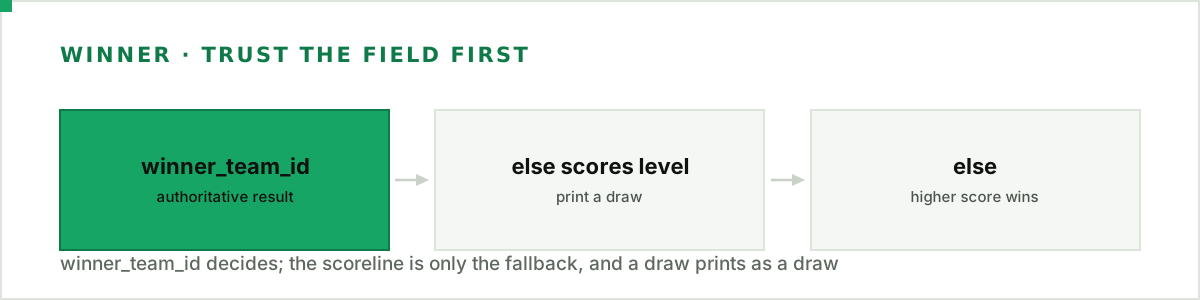
def winner_name(m: dict) -> str | None:
    wid = m.get("winner_team_id")
    if wid == m["team_a_id"]:
        return m["team_a_name"]
    if wid == m["team_b_id"]:
        return m["team_b_name"]
    return None  # not settled to a side (a draw, or not yet populated)


def format_result(m: dict) -> str:
    a, b = m["team_a_name"], m["team_b_name"]
    sa, sb = m["score_a"], m["score_b"]
    won = winner_name(m)
    if won:
        headline = f"🏆 **{won}** win"
    elif sa == sb:
        headline = "🤝 **Draw**"
    else:  # winner_team_id absent; the scoreline is decisive
        headline = f"🏆 **{a if sa > sb else b}** win"
    return f"{headline}  ·  {a} {sa}-{sb} {b}  ·  _{m['tournament_name']}_"
winner_team_id is populated for roughly two-thirds of completed matches, so the score fallback matters, and so does printing a genuine draw as a draw. Because the list row is enriched, team_a_name, team_b_name, score_a, score_b, and tournament_name are all present without a second call.

There are no team logos to attach (logo_url is always empty), so a text line is the clean, reliable format. It renders the same on every device and never shows a broken image.
Deduplicate so a single failure never floods the channel
Deduplication is the part people get subtly wrong. The naive shape saves the seen-set once, after the loop finishes. But if the webhook POST for the fifth match raises, the exception unwinds before the save runs, so on the next tick all four already-posted matches look new again, and the channel fills with repeats. That is the exact flood dedupe exists to prevent.
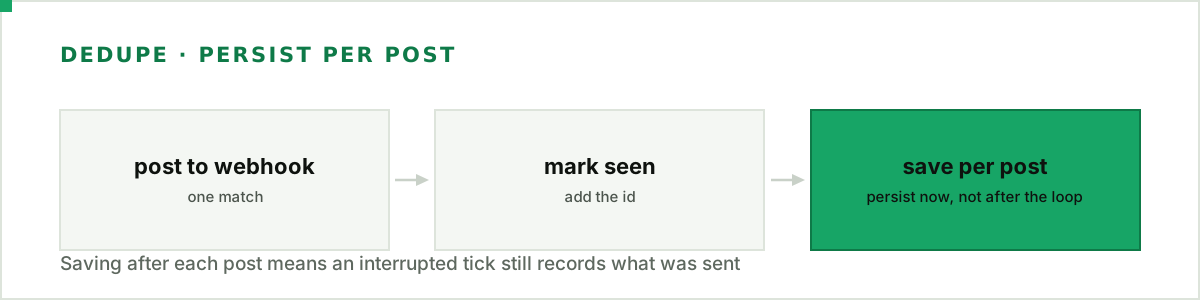
The fix is to persist right after each successful post, so a mid-loop failure leaves an accurate record behind:
def post(text: str) -> None:
    r = requests.post(WEBHOOK, json={"content": text}, timeout=10)
    if r.status_code == 429:
        # Discord returns the wait in the JSON BODY, not a Retry-After header.
        time.sleep(r.json().get("retry_after", 1))
        r = requests.post(WEBHOOK, json={"content": text}, timeout=10)
    r.raise_for_status()


def tick(seen: set[str]) -> None:
    for m in recent_results():
        if m["id"] in seen or m["score_a"] is None:
            continue
        post(format_result(m))
        seen.add(m["id"])
        save_seen(seen)  # persist per post: an interrupted tick still records what went out


if __name__ == "__main__":
    seen = load_seen()
    while True:
        try:
            tick(seen)
        except requests.RequestException as e:
            print(f"transient error, will retry: {e}")
        time.sleep(300)  # poll every 5 minutes
The 429 branch is worth knowing: Discord's webhook rate limit tells you how long to wait in the response body's retry_after, not in a header, which is the opposite of most APIs. Reading it from the wrong place means you sleep for a default and hammer the endpoint anyway.
Polling every five minutes is plenty for a results bot and keeps you well within the request limits. If you want to run several bots or poll harder, wrap the API calls with the backoff logic from the rate-limits guide. How a match is marked completed and its winner settled is documented in our methodology.
Next steps
- Stream updates over WebSocket — get pushed the moment a match finishes instead of polling on a timer.
- Post match previews too — announce upcoming games with head-to-head and form, not just results.
Resolve the winner from winner_team_id, save after every post, and let a webhook do the delivery. That is the whole bot in under a hundred lines.
Full API reference: recovering from disconnects in the developer docs.