Bottom line: Hold one WebSocket connection instead of polling on a timer, and the server pushes each match's state to you as it changes. The flow: mint a short-lived ticket over REST, open the socket, then
subscribeto the match IDs you want. The server answers with a full snapshot (the baseline), then a stream of update deltas, each stamped with an incrementingseq. The push carries the data itself, so there is no second REST call to make. Built on the EsportsOdds CS2 data API.
Push beats polling
Polling means asking "anything new?" every few seconds and almost always hearing "no." A WebSocket inverts that: you open one connection and the server tells you when something actually changed, so you do work only when there is work to do.
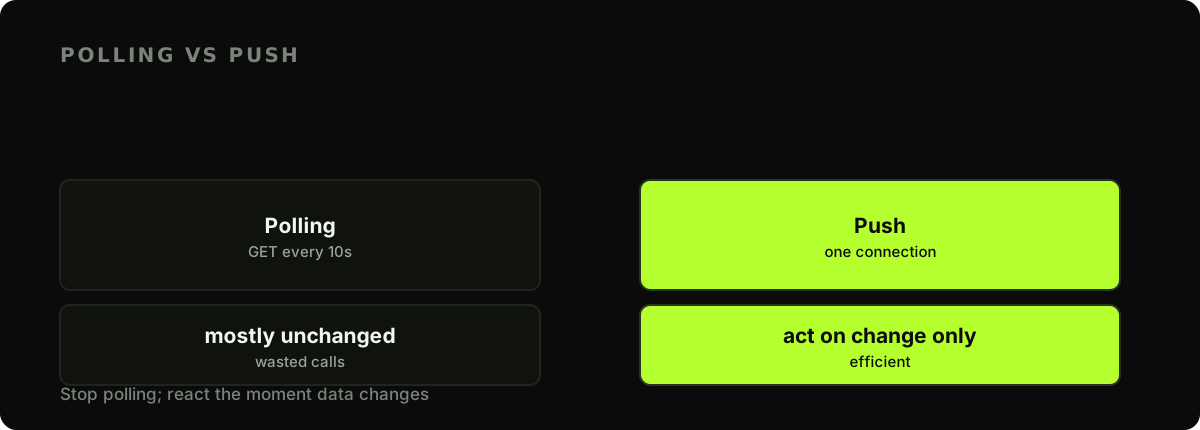
This is the efficient way to keep a live-scores dashboard current without hammering the endpoint, and it is metered differently too.
The handshake: a ticket, then the socket
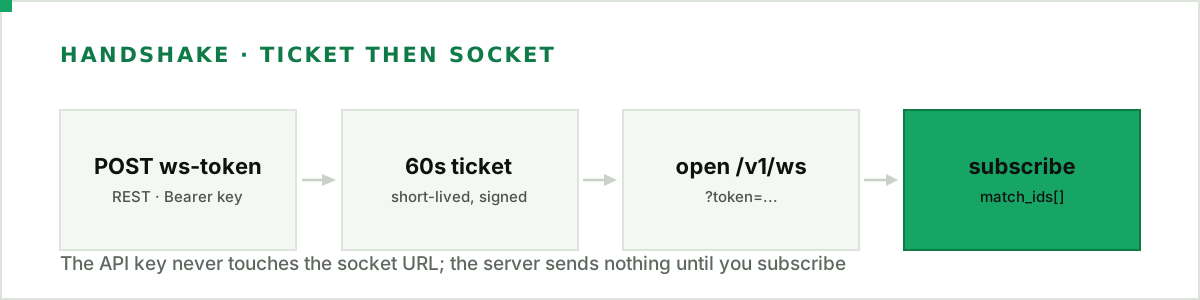
Your API key never goes in the WebSocket URL. You exchange it, over an ordinary authenticated REST call, for a short-lived signed ticket, and connect with that.
import json
import os
import requests
from websockets.sync.client import connect

BASE = "https://api.esportsodds.gg"
KEY = os.environ["ESPORTSODDS_API_KEY"]


def get_ticket() -> str:
    r = requests.post(f"{BASE}/v1/cs2/ws-token",
                      headers={"Authorization": f"Bearer {KEY}"}, timeout=10)
    r.raise_for_status()
    return r.json()["data"]["token"]
The response is {"data": {"token": "…", "expires_at": "…"}}. The ticket is valid for 60 seconds: long enough to open the connection, not long enough to be worth leaking. Mint one right before you connect, and a fresh one on every reconnect. Then open wss://api.esportsodds.gg/v1/ws?token=<ticket>. Note the path is /v1/ws, not game-namespaced; one socket multiplexes every match you subscribe to.
Subscribe first, or nothing arrives
Here is the step to get right: the server sends nothing until you subscribe. Once connected, send a subscribe frame naming the match IDs you want. The server acknowledges with a subscribed control frame, then sends one snapshot per match (the full current state at seq 0), then update frames carrying deltas, each incrementing seq per match.
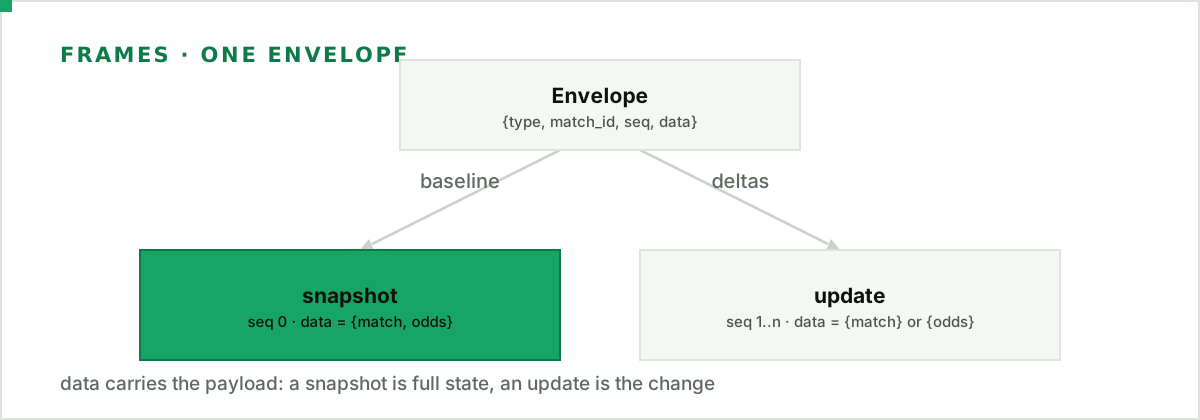
Every frame shares one envelope: {type, match_id, seq, data}. The data field is the payload. A snapshot's data holds the whole match plus its served odds; an update's data holds only what changed.
def stream(match_ids, on_state):
    url = f"{BASE.replace('https', 'wss')}/v1/ws?token={get_ticket()}"
    seqs = {}
    with connect(url) as ws:
        ws.send(json.dumps({"type": "subscribe", "data": {"match_ids": match_ids}}))
        for raw in ws:
            msg = json.loads(raw)
            kind, mid, seq = msg["type"], msg.get("match_id"), msg["seq"]
            if kind == "error":
                raise RuntimeError(msg["data"]["code"])
            if kind not in ("snapshot", "update"):
                continue  # subscribed / unsubscribed acks: nothing to render
            if kind == "update" and seq != seqs.get(mid, 0) + 1:
                # A gap: we missed a frame. Re-subscribe to rebuild the baseline.
                ws.send(json.dumps({"type": "subscribe", "data": {"match_ids": [mid]}}))
                continue
            seqs[mid] = seq
            on_state(kind, mid, msg["data"])
The handler reads the payload directly, no follow-up request needed:
def on_state(kind, match_id, data):
    if "match" in data:          # a snapshot, or a match-row update
        m = data["match"]
        print(f"{kind} {match_id}: {m['score_a']}-{m['score_b']} ({m['status']})")
    if "odds" in data:           # a snapshot, or an odds update
        print(f"{kind} {match_id}: {len(data['odds'])} market line(s) refreshed")


stream(["0191f2c8-8a1e-7c3a-9f5e-2b6d4e8a1c00"], on_state)
A snapshot's data carries both match and odds, so testing for each key handles both message kinds. The odds inside a frame are the same derived eo_market aggregate the REST endpoint serves; no per-book price ever comes down the socket.
Gaps, errors, and reconnects
seq is the contract that lets you trust the stream. It increments by one per match on every update, so seq 4 arriving after seq 2 means a frame went missing. The fix is to re-subscribe to that match, which triggers a fresh seq-0 snapshot and rebaselines you. The loop above does exactly that.
Two failure modes need handling. First, the connection cap: each API key may hold a fixed number of concurrent sockets, and exceeding it earns an error frame with code: "connection_limit" immediately before the server closes the connection. Catch it instead of reconnecting in a tight loop. Second, ordinary drops: when the socket closes, mint a new ticket, reconnect, and re-send your subscribe, because a new connection starts with no subscriptions. Add a small backoff so a flapping network does not spin. You can also unsubscribe from matches you stop tracking. The wire protocol is standard RFC 6455 WebSocket, and these examples use the websockets library's synchronous client.
What it costs, and what it is
Metering is the real argument for a socket over a poll. A REST poll spends a request every few seconds whether or not anything changed; the WebSocket costs no request quota at all, not the ticket, not the connection and not a single message. A day-long scoreboard connection costs nothing against your monthly quota, where polling would spend thousands of requests.
Be clear about granularity, though. This is a change-push channel: the socket delivers new state when the underlying data is refreshed upstream, not a play-by-play of every in-round event. For a scoreboard, a results feed, or a line-movement tracker, that is exactly right. Design the UI around "this figure is current," and keep the presentation calm: a steady freshness cue, never a countdown. How the odds you see here are derived and timed is written up in our methodology.
Ticket, socket, subscribe, then read the snapshot and follow the deltas: that is the whole protocol. Point it at the dashboard build and swap its polling loop for a push.
Full API reference: the WebSocket protocol reference in the developer docs.