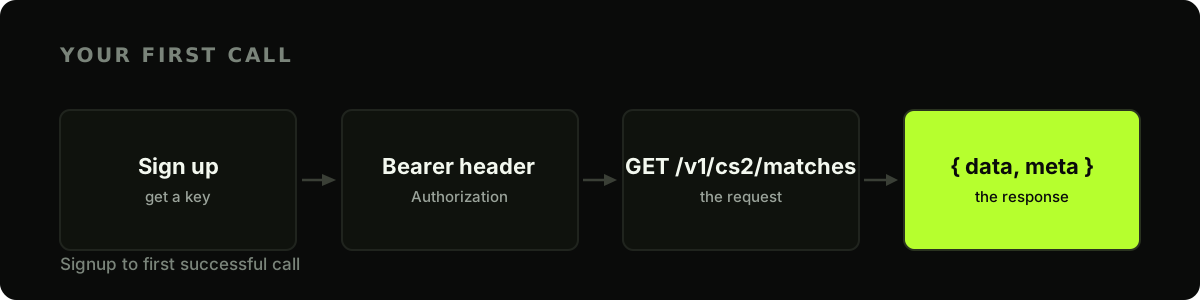
Bottom line: You can go from zero to a live CS2 match feed in about five minutes. Sign up, put your key in an
Authorization: Bearerheader, and callGET /v1/cs2/matches. Every response is a JSON envelope: adataarray or object plus ametablock. The one thing that trips people up first is that list rows and detail rows return different shapes. This guide covers all of it, with runnable code in three languages, against the EsportsOdds CS2 data API.
What you'll build
By the end you'll have made an authenticated request, pulled the Counter-Strike 2 matches list, and read the fields out. It's the foundation every other guide builds on, from a live-scores dashboard to a Discord score bot.
Step 1: Get an API key
Create an account on the dashboard and generate a key. Keys look like eo_live_… and are shown once, so store yours somewhere safe. Every example below reads it from an environment variable so you never paste a secret into code:
export ESPORTSODDS_API_KEY="eo_live_your_key_here"
There's a single plan, $49/month for 50,000 requests, and no separate keys to juggle for different endpoints. One key reaches the whole API, and it's issued as soon as the first month's payment clears.
The ratings and odds this key unlocks are computed in-house, not relayed from a third party; the methodology documents how.
Step 2: Make your first request
The base URL is https://api.esportsodds.gg; every path is versioned and game-namespaced, so CS2 lives under /v1/cs2/…. Send your key as a Bearer token:
curl -s "https://api.esportsodds.gg/v1/cs2/matches?status=completed&limit=5" \
  -H "Authorization: Bearer $ESPORTSODDS_API_KEY"
That asks for the five most recent finished matches. Leave the two parameters off and you get the whole list, newest fixture first, which starts with matches scheduled weeks ahead: a fine answer, but a dull first one.
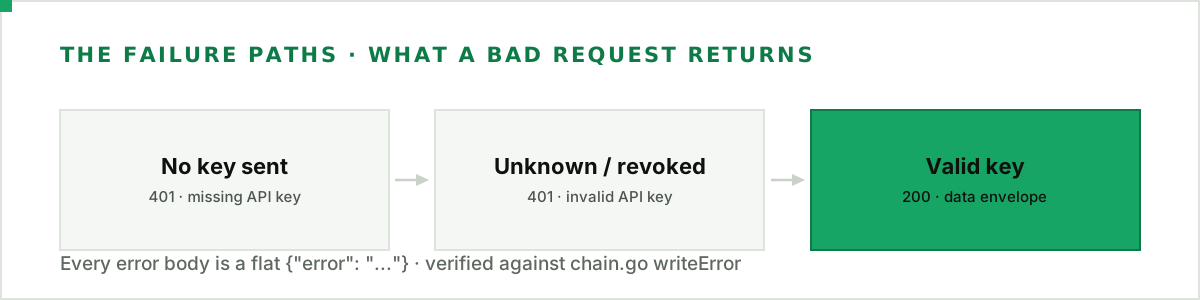
If the key is valid you'll get back a block of JSON. If it isn't, the response is a 401 whose error.code says which of two things went wrong. No key reached the server:
{
  "error": {
    "code": "missing_api_key",
    "message": "missing API key",
    "request_id": "019f3d18-c15f-7319-81a7-343e8a80a578"
  }
}
A key that's present but unknown, revoked, paused, or on an account without an active subscription returns the other:
{
  "error": {
    "code": "invalid_api_key",
    "message": "invalid API key",
    "request_id": "019f3d18-c15f-7319-81a7-343e8a80a578"
  }
}
Every error from the /v1 endpoints has this same shape: an error object holding a stable code, a human-readable message and a request_id to quote if you ask for help (it's also sent as the X-Request-Id header). Branch on code. The message is prose for logs and can be reworded, so a client that matches on it can break when the wording changes; the code is the part that stays put. The Python example further down shows what that looks like.
Two ways to send the key
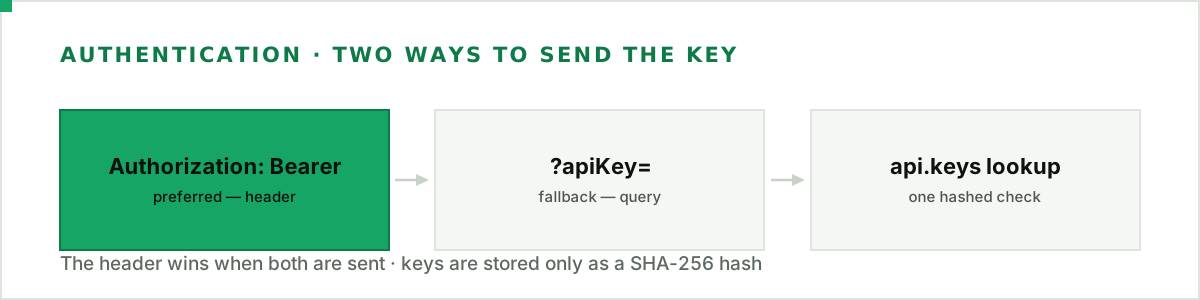
The Authorization: Bearer header above is the one to use: keys stay out of URLs, proxy logs, and browser history. For a client that can't set headers, the API also accepts the key as an ?apiKey= query parameter (/v1/cs2/matches?apiKey=$ESPORTSODDS_API_KEY), and if a request carries both, the header wins.
Step 3: Read the envelope
Here's the part worth slowing down on. A list endpoint wraps its results in an envelope: the rows go in data (up to 100 by default, or as many as ?limit= asks for, to a maximum of 500), and a meta object tells you how many came back and whether there's another page. Here is the call above, trimmed to its first row:
{
  "data": [
    {
      "id": "0191f2c8-8a1e-7c3a-9f5e-2b6d4e8a1c00",
      "status": "completed",
      "team_a_name": "Natus Vincere",
      "team_b_name": "FaZe Clan",
      "score_a": 2,
      "score_b": 1,
      "tournament_name": "IEM Cologne 2026",
      "scheduled_at": "2026-07-08T17:00:00Z"
    }
  ],
  "meta": { "count": 5, "next_cursor": "eyJ2Ijo…" }
}
next_cursor is a string while there are more rows to fetch, and null on the last page.
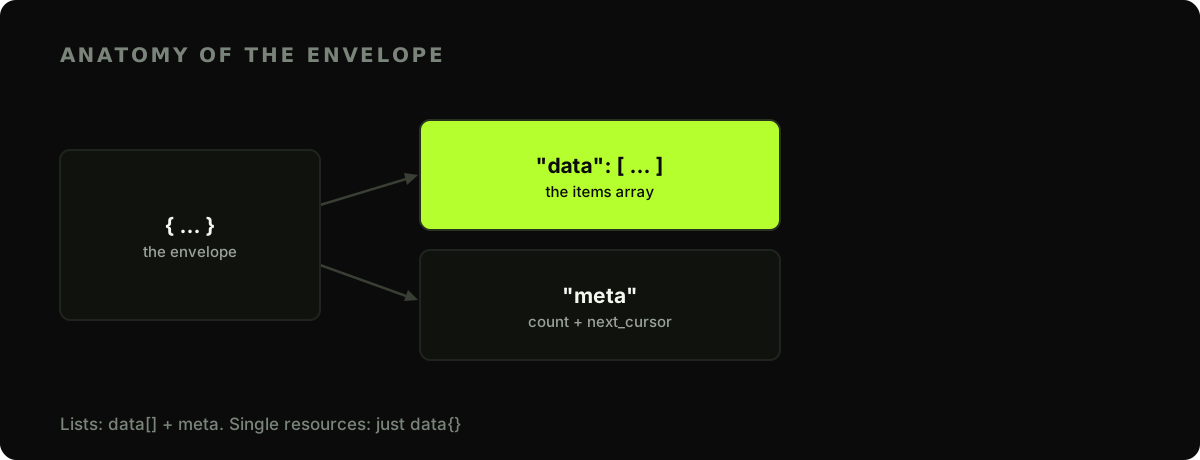
A single-resource endpoint (like one match by ID) returns {"data": { … }}: the same data key, but an object instead of an array, and no meta. Write your response handling around that split once and every endpoint behaves predictably.
Step 4: The one gotcha: list rows vs detail rows
The matches list you just called is an enriched projection. Each row already carries team_a_name, team_b_name, and tournament_name, so you can render a scoreboard straight from it with no extra lookups.
The single-match detail endpoint is deliberately leaner. GET /v1/cs2/matches/{id} returns a bare match with team_a_id and team_b_id: IDs, not names. If you need the names on a detail view, resolve the IDs against /v1/cs2/teams.
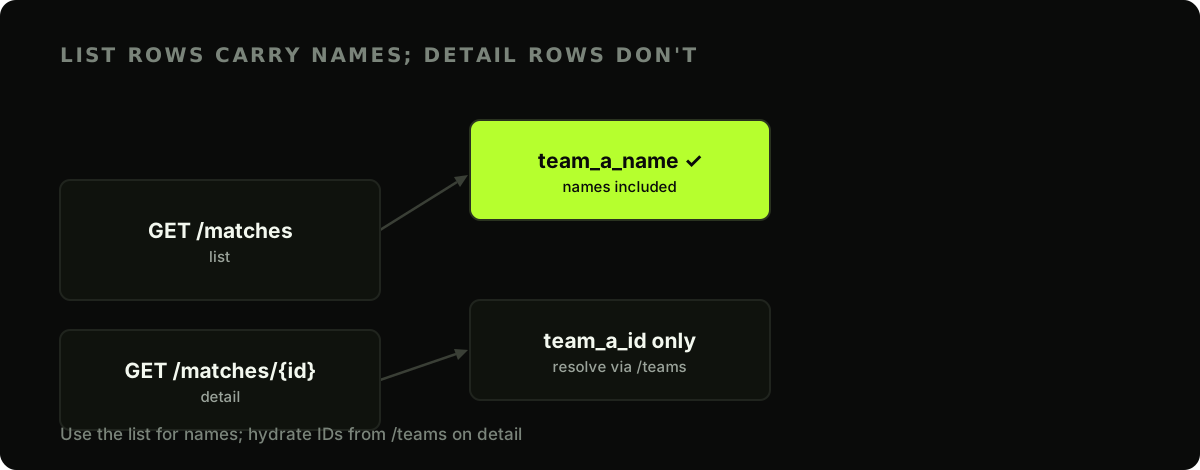
So: reach for the list when you want names, and hydrate IDs from /teams only on detail views. It saves a surprising number of redundant calls.
The same call in Python and JavaScript
Nothing above is curl-specific. In Python with requests, including the branch on error.code for a failed call:
import os
import requests

BASE = "https://api.esportsodds.gg"
key = os.environ["ESPORTSODDS_API_KEY"]

resp = requests.get(
    f"{BASE}/v1/cs2/matches",
    params={"status": "completed", "limit": 5},
    headers={"Authorization": f"Bearer {key}"},
    timeout=10,
)
if not resp.ok:
    error = resp.json()["error"]
    # Branch on the stable code; the message is prose and can change.
    if error["code"] in ("missing_api_key", "invalid_api_key"):
        raise SystemExit(f"{error['code']}: check ESPORTSODDS_API_KEY")
    raise RuntimeError(f"{resp.status_code} {error['code']} (request {error.get('request_id')})")
payload = resp.json()

for match in payload["data"]:
    a, b = match.get("team_a_name"), match.get("team_b_name")
    print(f"{a} {match['score_a']}-{match['score_b']} {b}")
And in JavaScript with fetch:
const BASE = "https://api.esportsodds.gg";
const key = process.env.ESPORTSODDS_API_KEY;

const res = await fetch(`${BASE}/v1/cs2/matches?status=completed&limit=5`, {
  headers: { Authorization: `Bearer ${key}` },
});
if (!res.ok) {
  const { error } = await res.json();
  // Same rule as above: switch on error.code, never on error.message.
  throw new Error(`${res.status} ${error.code} (request ${error.request_id})`);
}

const { data } = await res.json();
for (const m of data) {
  console.log(`${m.team_a_name} ${m.score_a}-${m.score_b} ${m.team_b_name}`);
}
Both read data the same way, because the envelope is the same everywhere, and both read error.code the same way when a call fails.
Where to go next
You've got a working key and you understand the envelope:
- See one real match in JSON: what a completed match returns, field by field, and how to fetch it in one request.
- Pull match data with filters and pagination — narrow by status, team, or date, and page through with a cursor.
- Analyse CS2 stats in Python — turn match-stats JSON into a pandas DataFrame.
- Build a resilient client — read the rate-limit headers and handle a
429before you scale up. - Use the official Python client —
pip install esportsoddshandles the auth header, paging, retries and error codes shown above, with only the standard library.
Start with a match list, confirm the shape, and build outward from there.
Full API reference: Your first integration in the developer docs.