
You've changed one package, run go test, and received a reassuring ok. Then CI runs go test ./..., finds a failure in a subpackage you didn't touch, and your local result suddenly looks misleading. Or you rerun a package after changing nothing, see (cached), and wonder whether Go executed the tests.
Those situations come from treating go test as a file command. It's better understood as a package-pattern system with clear boundaries around package selection, flags, coverage, and result caching. Once that model is clear, you can choose a narrow local command, a complete repository sweep, or a fresh rerun without guessing.
This guide is organized around those jobs. Use the package-pattern section when you need the right target, the flags section when you need to select or alter execution, and the coverage and caching section when timing or reproducibility matters. If you're building a broader testing practice, these curated testing resources provide useful complementary material, while this unrelated CS2 API documentation reference is a reminder that precise interfaces and documented behavior matter in any developer workflow.
Table of Contents
- Introduction to Go Test Package Workflows
- How Go Discovers and Runs Package Tests
- Package Patterns and Syntax You Will Use Daily
- Essential Flags for Selection Output and Execution
- Module Aware Testing and Subpackage Strategies
- Benchmarks Examples and Fuzzing Under Go Test
- Coverage Workflows and Test Result Caching Explained
- CI Tips Pitfalls and Quick Reference Lookup
<a id="introduction-to-go-test-package-workflows"></a>
Introduction to Go Test Package Workflows
The fastest useful question is not “How do I run a Go test?” It's “Which package set am I trying to validate?”
For a focused edit, run the package in the current directory:
go test .
For a repository-wide check, use the recursive package pattern:
go test ./...
For a targeted rerun, combine a package pattern with a test-name filter:
go test -run 'TestSplit/empty' ./path/to/package
These commands can look similar, but they express different scopes. A package is a compiled unit with its own tests and package-level result. A pattern can select one package, a subtree, or an explicit list. Your choice affects what runs, what output you see, and whether successful results are eligible for reuse.
<a id="read-the-output-as-a-package-report"></a>
Read the output as a package report
A normal result might look like this:
ok example.com/project/internal/parser 0.012s
The ok or FAIL status applies to the package reported on that line. The timing describes that package's test process, not necessarily the total time you spent waiting for a multi-package command. With several packages, go test ./... prints separate results, so scan for the first failing package and its test name rather than treating the command as one undifferentiated test suite.
A nonzero exit status means the command failed, which is what CI needs. Verbose output adds individual test events, but it doesn't change the package boundary.
Practical rule: choose the package pattern before choosing the flag. A perfect flag on the wrong package set still gives you the wrong feedback.
<a id="pick-the-workflow-by-intent"></a>
Pick the workflow by intent
- Single-package check: use
go test .while working inside one package. - Subtree check: use a pattern such as
go test ./internal/...when a repository area is the unit of change. - Explicit multi-package check: list packages directly when you want a small, deliberate set.
- Repository sweep: use
go test ./...for broad validation across the module. - Fresh verification: add
-count=1when you need to bypass successful-result reuse.
The rest of the guide keeps returning to that distinction. Go's test runner is simple at the surface, but its package selection and caching rules reward deliberate commands.
<a id="how-go-discovers-and-runs-package-tests"></a>
How Go Discovers and Runs Package Tests
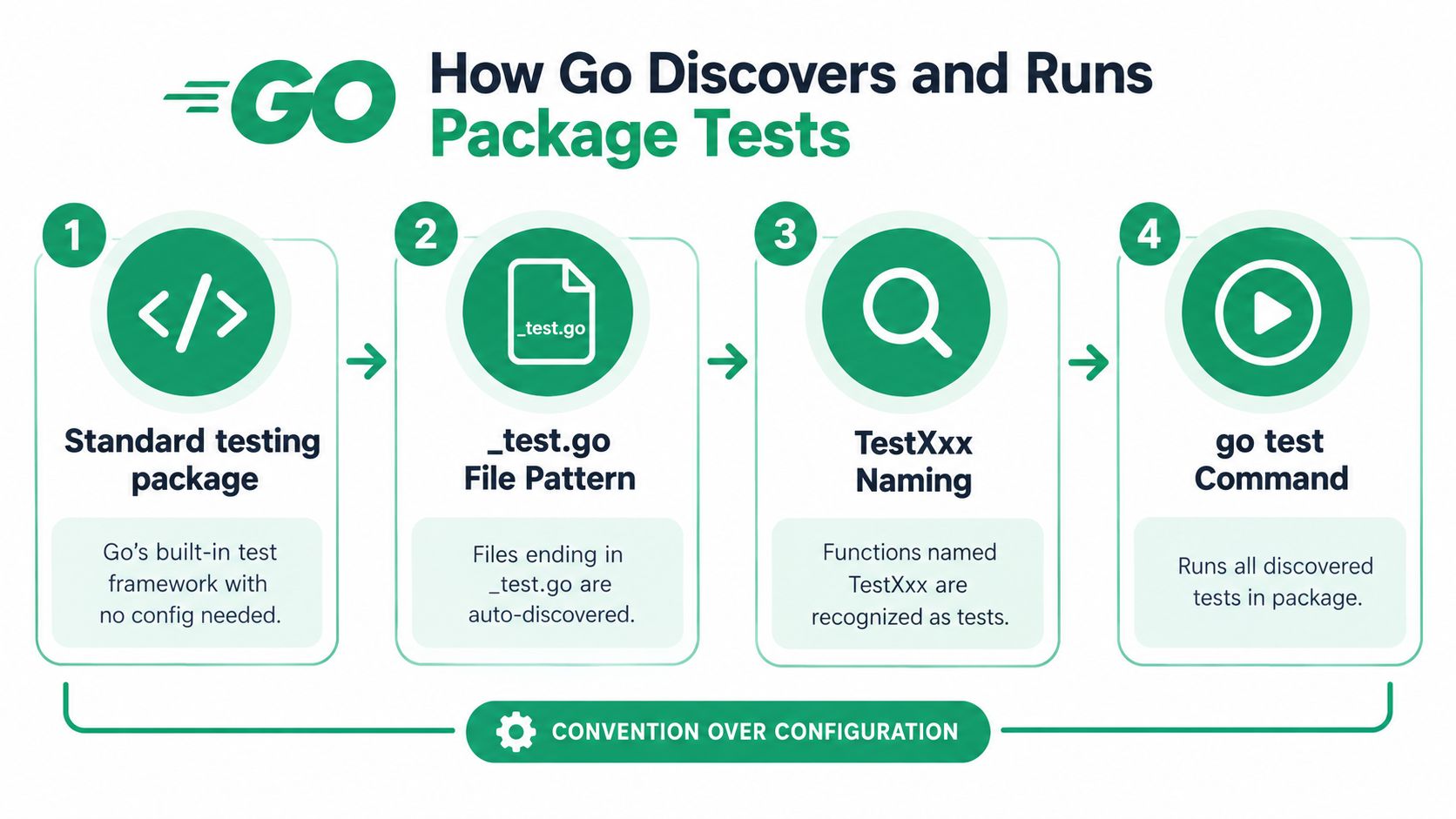
Go's testing workflow relies on convention over configuration. The standard library's testing package documentation describes support for automated testing of Go packages, and the go test command supplies the execution path. You don't need a separate runner configuration file to tell Go where ordinary package tests live.
The discovery contract has three parts:
- Test files match the
*_test.gopattern. - Test functions use names such as
TestXxxand receive*testing.T. - The
go testcommand recompiles the package together with its test files, builds the test binary, runs discovered tests, and reports a package-level result.
A minimal test looks like this:
package parser

import "testing"

func TestParseEmpty(t *testing.T) {
	got := Parse("")
	if got != nil {
		t.Fatalf("expected nil result, got %#v", got)
	}
}
Save it in a file such as parser_test.go, then run:
go test .
If the function name doesn't follow the recognized form, Go won't treat it as an ordinary test. If the file doesn't end in _test.go, it won't participate in the test-file convention. The compiler still enforces package correctness, so malformed test code fails during the build stage before test execution can provide useful assertions.
<a id="subtests-add-structure-without-changing-the-package-model"></a>
Subtests add structure without changing the package model
Table-driven tests become much easier to inspect when each case runs as a subtest:
func TestSplit(t *testing.T) {
	tests := []struct {
		name  string
		input string
		want  []string
	}{
		{name: "empty", input: "", want: nil},
		{name: "words", input: "a,b", want: []string{"a", "b"}},
	}

	for _, tc := range tests {
		t.Run(tc.name, func(t *testing.T) {
			got := Split(tc.input)
			// Compare got with tc.want.
		})
	}
}
Subtests introduced with t.Run became available in Go 1.7, as recorded in the official Go release history. They let you rerun a single case with a command such as:
go test -run 'TestSplit/empty' .
That granularity matters in a large package. You can preserve one package-level test binary while selecting a meaningful case inside it, rather than creating a separate command or external test harness for every scenario.
<a id="one-command-now-covers-more-than-unit-tests"></a>
One command now covers more than unit tests
The same go test umbrella also supports benchmarks, examples, and fuzzing. That continuity is one of Go's strongest workflow choices. The testing machinery evolved with the language and remained centered on the standard library package instead of fragmenting into unrelated runners.
The result is predictable: source files follow a naming convention, functions follow a naming convention, and package patterns determine the scope. Once those three rules are understood, most “why didn't Go run my test?” problems become straightforward naming or targeting mistakes.
<a id="package-patterns-and-syntax-you-will-use-daily"></a>
Package Patterns and Syntax You Will Use Daily
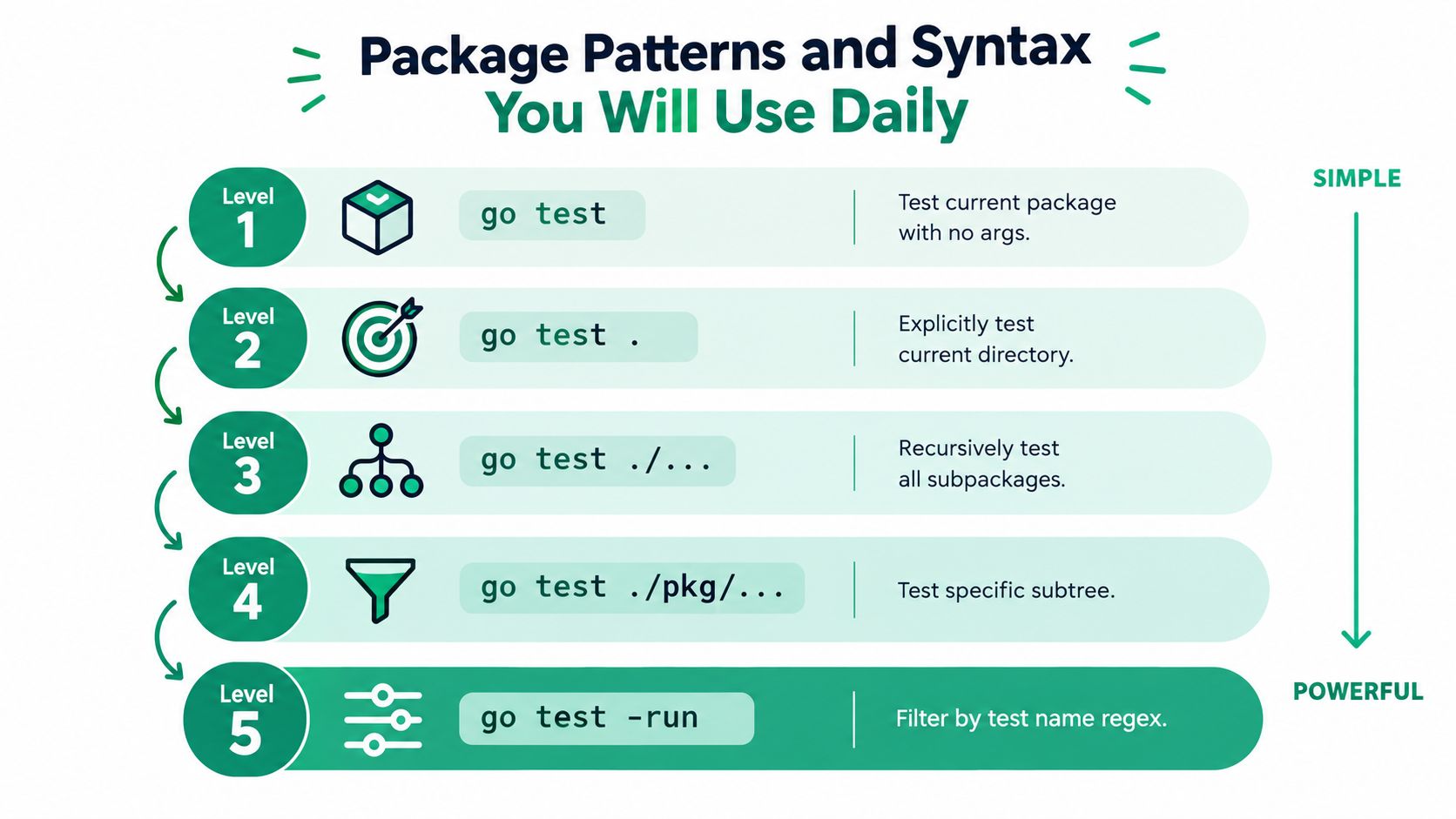
Package arguments are the main control surface for repository scope. Start with the narrowest command that answers your current question, then widen it when the change crosses package boundaries.
| Command | Scope | Best fit |
|---|---|---|
go test | Package context inferred from the current directory | A quick check from a package directory |
go test . | The current directory as an explicit package pattern | Local iteration with explicit package-list behavior |
go test ./... | The current module tree and matching subpackages | Broad repository validation |
go test ./internal/... | A selected subtree | Focused work in a repository area |
go test ./pkg/foo ./pkg/bar | Explicit package list | Testing two known packages without sweeping everything |
The bare command is convenient, but it isn't interchangeable with go test .. The explicit dot gives the tool a package argument, which becomes important when successful test-result caching is involved. In a package directory, use go test . when you want the target to be obvious in scripts and local notes.
<a id="choose-patterns-by-repository-shape"></a>
Choose patterns by repository shape
For a small package change:
go test .
For a package and all descendants below it:
go test ./internal/...
For a repository-wide sweep:
go test ./...
For two independent areas:
go test ./pkg/parser ./pkg/codec
The ./... suffix is recursive within the pattern's scope. It doesn't mean “every package Go can find everywhere.” It describes packages under the selected path, subject to the module and package layout. That distinction is useful in multi-package repositories because it lets you avoid unrelated tools, examples, or experimental directories when they're outside the selected subtree.
<a id="relative-and-explicit-targets"></a>
Relative and explicit targets
A relative target is usually easiest to read:
go test ./services/catalog
An import-path target can be useful when scripts already work with module paths:
go test example.com/project/services/catalog
Explicit lists are valuable when a change affects a known dependency slice. They also make reviewable CI commands easier to understand, although maintaining the list can become work as the repository grows. The recursive form is less precise but more resistant to forgetting a newly added subpackage.
Scope is a correctness decision, not only a speed decision. Running fewer packages gives faster feedback, but it can also leave an affected package untested.
A practical decision tree is simple:
- Need feedback on the current package? Use
go test .. - Need everything below a directory? Use
go test ./directory/.... - Need all module packages? Use
go test ./.... - Need only named packages? Pass them explicitly.
- Need one case inside a package? Add
-runafter selecting the package.
Don't use go test ./... for every keystroke in a large repository. Don't use go test . as your only CI validation when a change can affect sibling packages. Good workflows use both, for different questions.
<a id="essential-flags-for-selection-output-and-execution"></a>
Essential Flags for Selection Output and Execution
Flags fall into three practical groups: selection, reporting, and execution. The most common mistake is combining a flag because it sounds useful without checking whether it changes what runs, how output is displayed, or whether caching remains available.
<a id="selection-flags"></a>
Selection flags
-run accepts a regular expression and selects matching test and subtest names:
go test -run 'TestSplit/empty' -v .
This is the fastest way to isolate a failing table-driven case after a package-wide run. Keep the expression quoted when your shell might interpret special characters.
-bench selects benchmarks rather than ordinary tests:
go test -bench 'BenchmarkLookup' ./internal/index
Use -benchmem with it when allocation information is part of the question:
go test -bench 'BenchmarkLookup' -benchmem ./internal/index
-short lets tests that honor testing.Short() skip or reduce expensive work:
go test -short ./...
It's useful for a quick developer pass, but it isn't a substitute for a full test run. A test that branches on testing.Short() may intentionally cover less work.
<a id="output-and-repetition-flags"></a>
Output and repetition flags
| Flag | Group | Purpose | Example |
|---|---|---|---|
-v | Output | Print individual test and subtest activity | go test -v ./pkg/parser |
-json | Output | Emit machine-readable test events | go test -json ./... |
-count=1 | Output and execution | Force a fresh test execution | go test -count=1 ./... |
-list | Selection and output | List matching tests without running them | go test -list 'Test' ./... |
-v helps when a failure depends on ordering, logs, or subtest names. -json is better for CI tooling that needs to associate events with packages and tests. -count=1 is the important freshness switch, especially when investigating a flaky test or a suspected environment dependency.
-parallel controls the maximum number of tests that may run in parallel within a package when tests call t.Parallel():
go test -parallel 4 ./internal/cache
Treat it as a scheduling control, not a correctness fix. Tests that share mutable state can still interfere with one another.
<a id="execution-and-build-flags"></a>
Execution and build flags
Use the race detector for concurrency-sensitive code:
go test -race ./...
It changes how the code is built and exercised, so expect a different execution profile from an ordinary run. -cpu selects processor-count settings for tests that inspect them:
go test -cpu 1,2 ./...
The -c flag builds the test binary without running it:
go test -c -o parser.test ./internal/parser
That's useful when another process needs to launch the test binary, or when you want to inspect the build artifact separately.
Flags compose, but their purposes should remain clear:
go test -race -run 'TestCache' -v ./internal/cache
This command narrows the package, selects a test family, enables race instrumentation, and prints detail. Don't assume every combination remains cacheable. The cache rules are narrower than the full flag list, which is why the next section treats them as a first-class concern.
<a id="module-aware-testing-and-subpackage-strategies"></a>
Module Aware Testing and Subpackage Strategies
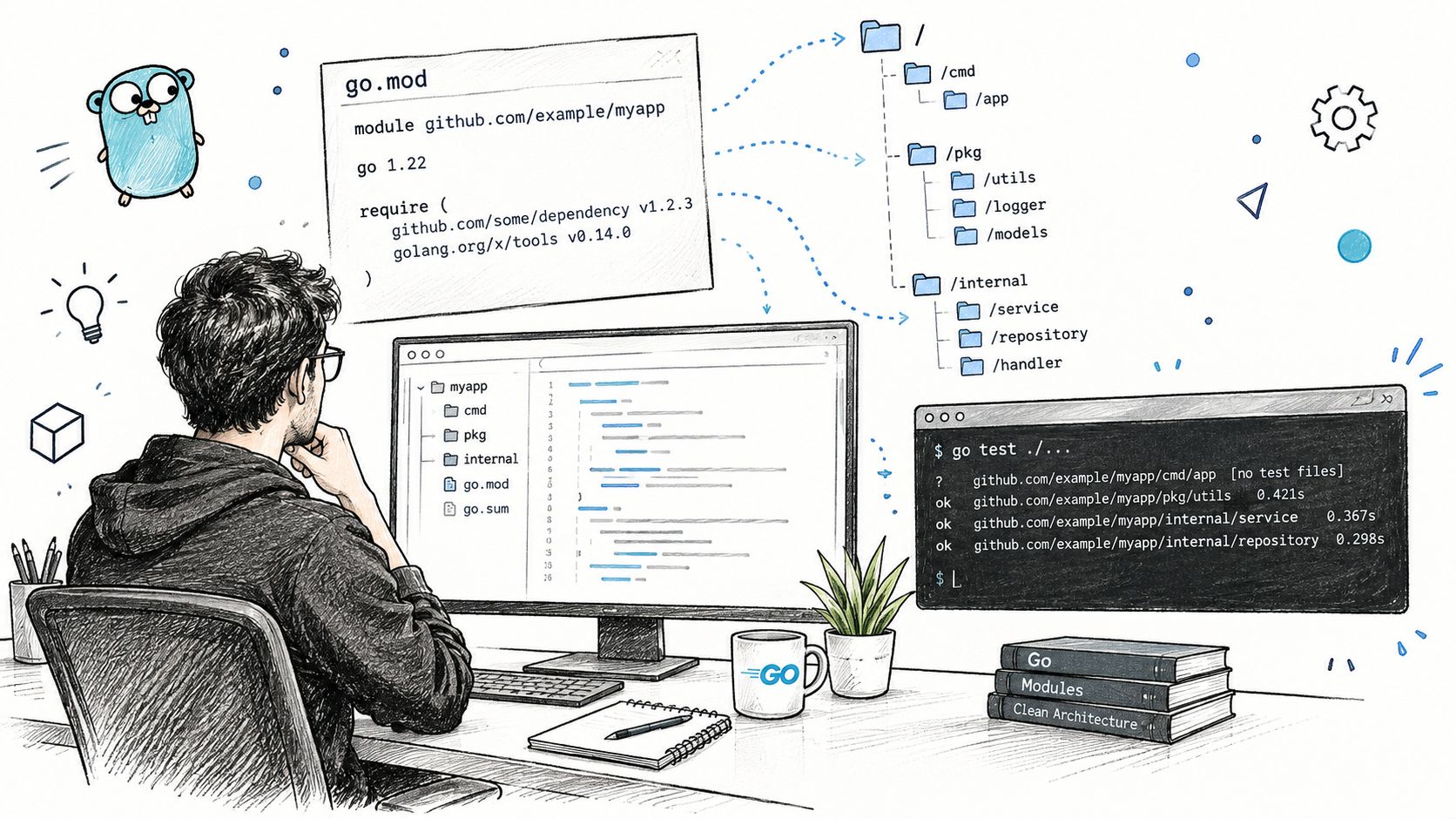
A module-aware repository gives package patterns a stable context. From the directory containing go.mod, this is the standard broad check:
go test ./...
From a package directory, go test . targets that directory. Running from the repository root and running from a nested directory aren't equivalent if your relative pattern changes. A command that works inside internal/parser can test a completely different scope when copied to the root.
A useful layout might look like this:
go.mod
cmd/
  service/
internal/
  parser/
  storage/
pkg/
  client/
Typical commands then become:
go test ./internal/parser
go test ./internal/...
go test ./pkg/...
go test ./cmd/service ./internal/parser
go test ./...
<a id="keep-local-feedback-narrow"></a>
Keep local feedback narrow
When editing internal/parser, start here:
go test ./internal/parser
If the package uses subtests and one case fails:
go test -run 'TestParse/quoted' ./internal/parser
Once the local behavior is correct, widen to the affected subtree:
go test ./internal/...
This layered approach avoids paying for unrelated packages during every edit while still giving you a deliberate integration checkpoint. In a monorepo, the subtree is often a better intermediate boundary than either one package or the entire repository.
<a id="use-subtests-to-preserve-detail-inside-a-package"></a>
Use subtests to preserve detail inside a package
Table-driven tests let one package own many related cases, while t.Run gives each case a searchable name. That structure works well with targeted commands because the package remains the build unit and the subtest becomes the selection unit.
Avoid using package patterns to solve a test-name problem. If only one case is failing, keep the package target stable and use -run. If several packages fail, fix the package selection first, then narrow within each package.
Module-aware testing also depends on consistent dependency state. Run commands from the intended module, keep go.mod and go.sum changes reviewable, and don't hide a package-boundary mistake by changing directories repeatedly. For an example of how developers often document API integration steps separately from implementation details, see this CS2 API quickstart guide. The same discipline applies here: make the starting directory, package target, and expected command explicit.
<a id="benchmarks-examples-and-fuzzing-under-go-test"></a>
Benchmarks Examples and Fuzzing Under Go Test
go test isn't limited to pass-or-fail correctness tests. The testing package also provides a common home for benchmarks, examples, and fuzz tests, so teams can keep performance checks and executable documentation close to the package they describe.
A benchmark follows the BenchmarkXxx naming convention:
func BenchmarkLookup(b *testing.B) {
	index := buildIndex()
	b.ResetTimer()

	for i := 0; i < b.N; i++ {
		_ = index.Lookup("key")
	}
}
Run it selectively:
go test -bench 'BenchmarkLookup' ./internal/index
Add memory reporting when allocations matter:
go test -bench 'BenchmarkLookup' -benchmem ./internal/index
The benchmark output is intended for comparison across code revisions under a controlled command. Don't mix a benchmark question with a repository-wide correctness sweep unless you have a reason to accept the extra work. Benchmarks can be valuable locally and in dedicated performance jobs, while ordinary CI should usually keep the default path focused on correctness.
<a id="examples-are-executable-documentation"></a>
Examples are executable documentation
An example function can show how an exported API should be used:
func ExampleParse() {
	result := Parse("a,b")
	fmt.Println(result)
	// Output: [a b]
}
The // Output: comment turns the example into a checked expectation. Run package tests normally and let the example participate in the same package workflow. This keeps documentation from drifting away from the API.
<a id="fuzzing-uses-the-same-package-command"></a>
Fuzzing uses the same package command
Fuzz tests use the FuzzXxx naming convention and receive *testing.F:
func FuzzParse(f *testing.F) {
	f.Add("a,b")

	f.Fuzz(func(t *testing.T, input string) {
		_ = Parse(input)
	})
}
Select a fuzz target with:
go test -run '^$' -fuzz 'FuzzParse' ./internal/parser
The empty -run expression prevents ordinary tests from running while the fuzz target is selected. Fuzzing is a different execution mode from a normal unit run, so isolate it in local commands or dedicated CI jobs when runtime and reproducibility requirements differ.
Keep all three forms close to the package they exercise. That makes ownership clear and lets maintainers use the same package patterns, with a flag that expresses the specific activity.
<a id="coverage-workflows-and-test-result-caching-explained"></a>
Coverage Workflows and Test Result Caching Explained
Coverage and caching answer different questions. Coverage instruments a test run to show which code paths were exercised. Caching decides whether a previously successful package test result can be reused. Treating either mechanism as a universal speed or quality guarantee leads to confusing results.
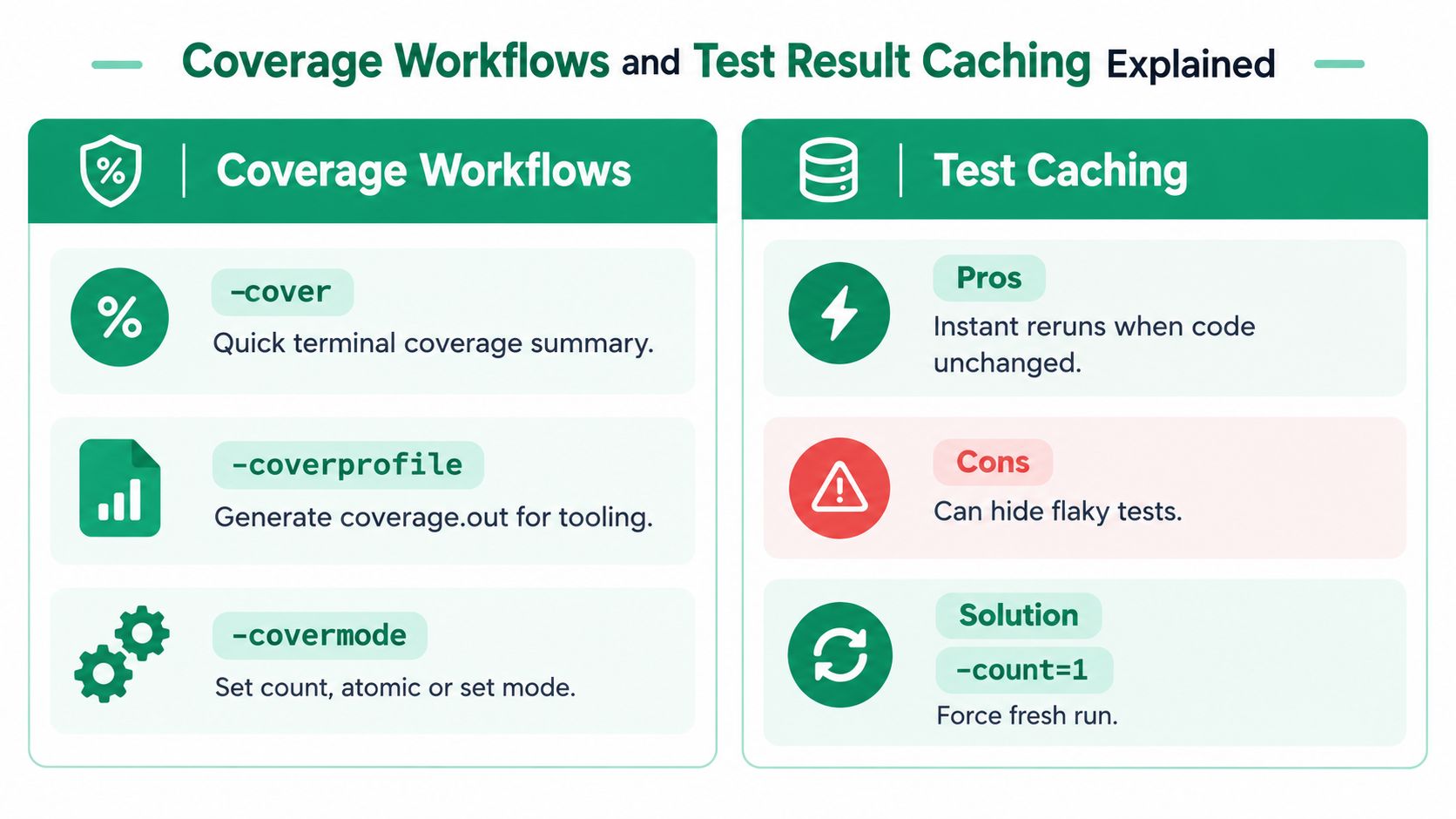
For a quick package summary, use:
go test -cover ./internal/parser
To write a profile for later tooling:
go test -coverprofile=coverage.out ./internal/parser
go tool cover -func=coverage.out
-covermode selects how coverage counters behave, for example:
go test -covermode=atomic -coverprofile=coverage.out ./...
Use a profile when you need to inspect coverage outside the immediate terminal output. For multiple packages, make the package scope explicit and keep the generated profile as a CI artifact if reviewers or tooling need it.
<a id="the-caching-boundary-is-package-list-mode"></a>
The caching boundary is package-list mode
The Go test runner caches successful package test results when the test binary, cacheable command-line flags, and consulted files or environment variables haven't changed. A reused result prints (cached) instead of an elapsed time, as described in the Go test runner cache implementation.
The boundary matters:
- Successful results can be reused.
- Failed results aren't cached as successful results.
- Bare
go testwith no package arguments isn't equivalent to an explicit package list for this purpose. go test .andgo test ./...provide package arguments, so their results can participate when the other conditions hold.- Cacheable flags include
-cpu,-list,-parallel,-run,-short, and-v. - Use
-count=1to force a fresh run.
The distinction between bare go test, go test ., and go test ./... is documented in discussion of the test cache package-list behavior. A command can feel unexpectedly slow because it isn't eligible for reuse, or it can feel suspiciously fast because an unchanged successful result was deliberately reused.
Freshness rule: when you're checking for flakiness, environment sensitivity, or a test that may be passing for the wrong reason, run
go test -count=1with the same package pattern you intend to validate.
Coverage flags and execution modifiers can also change cache eligibility or the inputs considered by the toolchain. Don't compare a cached ordinary run with a fresh race or coverage run as though they were the same test event. Record the exact command in CI logs, especially when a team is diagnosing inconsistent feedback times.
<a id="ci-tips-pitfalls-and-quick-reference-lookup"></a>
CI Tips Pitfalls and Quick Reference Lookup
A reliable CI command should make scope, freshness, and artifacts obvious. For a broad module check, a practical baseline is:
go test -count=1 ./...
Use -race in a separate job or an explicitly chosen stage when concurrency risk justifies its additional execution cost:
go test -race -count=1 ./...
If CI collects coverage, write a profile deliberately:
go test -count=1 -coverprofile=coverage.out ./...
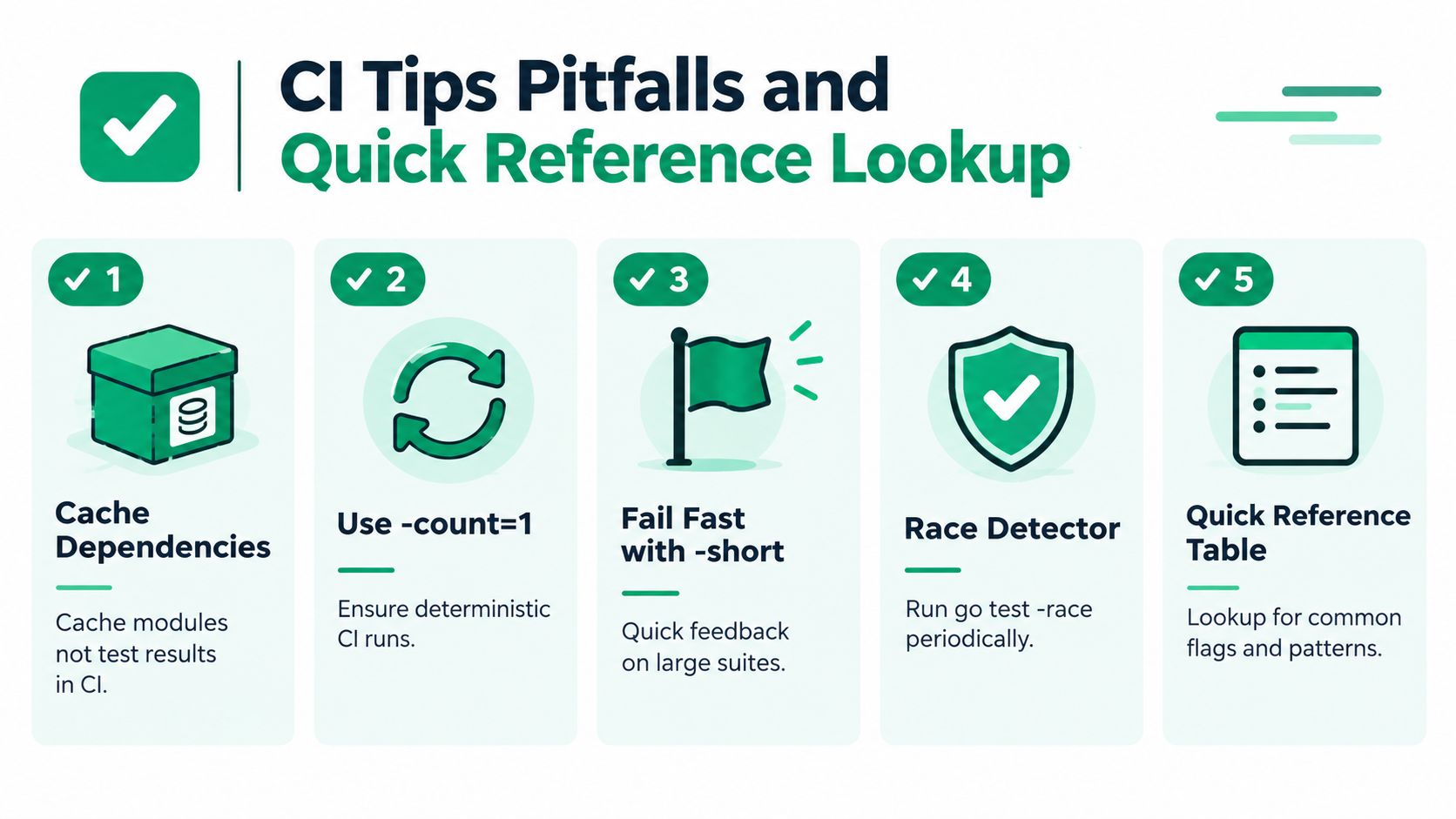
Cache module downloads and build inputs through your CI system, but don't confuse that with reusing test results. A dependency cache reduces setup work. go test result caching has its own package-list and flag boundaries, and a deterministic CI policy may prefer -count=1.
<a id="common-failure-modes"></a>
Common failure modes
- Bare command confusion:
go testandgo test .don't express the same caching context. - Overbroad local runs:
go test ./...can bury a package-level failure in unrelated output. - Unintended filtering:
-runchanges what executes, so a passing targeted run isn't evidence that the whole package passes. - Freshness mistakes: cached success is useful for iteration, but use
-count=1when investigating flaky behavior. - Race assumptions: an ordinary pass doesn't answer the concurrency question. Run the race detector where it matters.
- Coverage overinterpretation: a coverage profile shows exercised code, not whether the assertions are meaningful.
<a id="daily-lookup"></a>
Daily lookup
| Need | Command |
|---|---|
| Current package | go test . |
| One package by path | go test ./path/to/package |
| Entire subtree | go test ./internal/... |
| All module packages | go test ./... |
| One test or subtest | go test -run 'TestName/Case' ./path/to/package |
| Verbose output | go test -v ./path/to/package |
| Fresh result | go test -count=1 ./... |
| Race detection | go test -race ./... |
| Coverage profile | go test -coverprofile=coverage.out ./... |
| Benchmark | go test -bench 'BenchmarkName' ./path/to/package |
Keep commands close to the job they serve. For API consumers, the same principle appears in operational documentation such as this CS2 API rate-limits guide, where explicit boundaries prevent ambiguous behavior. In Go repositories, package patterns and flag choices provide those boundaries.
If you're building a CS2 data application, EsportsOdds provides normalized match, team, player, tournament, and historical odds data through documented REST endpoints and WebSocket update notifications. Use it as a stable external data source while applying the same disciplined package, integration, and reproducibility practices to your Go client and test suite.